
Polar vs. Rectangular Coordinates
Loading the math board and drawing, please wait…
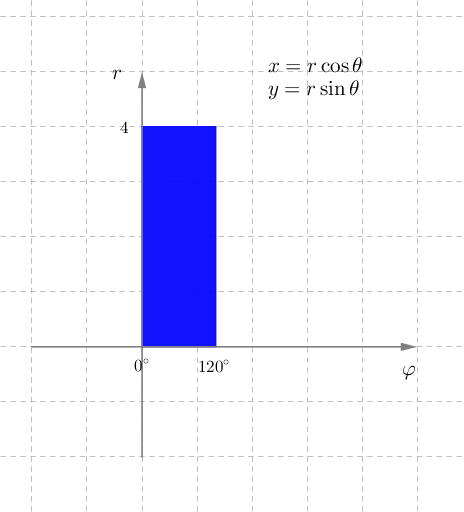
This example demonstrates the conversion between polar and rectangular coordinates, including graphical representations. Key math concepts involve polar coordinates, rectangular coordinates, function graphing, logarithms, logic, quadratic functions, and ellipses. Construction highlights include commands like CircleSector, Vector, Polygon, and Angle from GeoGebra. Suitable for high school and above learners to understand coordinate system transformations and function graphing.
GeoGebra Commands & Parameters
CircleSector(O, A, B) → cVector(S - (0, 2), S + (0, 5)) → vyVector(O - (0, 2), O + (0, 5)) → uyVector(O - (2, 0), O + (5, 0)) → uxVector(S - (2, 0), S + (5, 0)) → vxPolygon(Cfi1, Cfi2, Crfi2, Crfi1) → wielokąt1, cfi1, cfi2, crfi2, crfi1Angle(S, O, A) → αAngle(S, O, B) → β
AI Drawing Prompt Reference
On the same coordinate plane, specify a center point O and two rays from O passing through points A and B, and draw the corresponding sector. Using O as reference, construct a vertical displacement vector segment by picking two points that mark its start and end, and also construct a horizontal displacement vector segment with two marked endpoints on the right. Using these two displacements together with the positions tied to the rays OA and OB, form a quadrilateral by connecting the corresponding translated points. Finally, mark the angle α at O between the direction toward A and the direction toward S, and mark the angle β at O between the direction toward B and the direction toward S.
The prompt above was compiled from the original drawing commands and is for reference only.