
Golden Rectangle: The Beauty of Geometry and Proportion
Loading the math board and drawing, please wait…
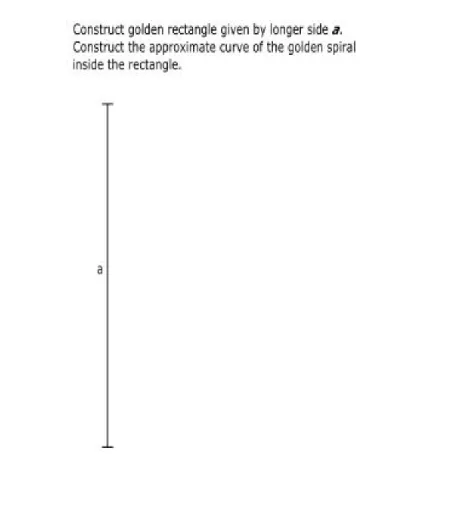
The golden rectangle is a key concept in geometry, illustrating the harmony between proportion and shape. This example demonstrates how to construct a golden rectangle using GeoGebra, involving concepts such as rectangles, trigonometric functions, natural numbers, volume, dilation, and surface. The construction requires using commands like Segment, Midpoint, CircleArc, Circle, Point, Intersect, OrthogonalLine, Angle, and objects such as A, B, kép1, C, D, f, E, F, G, c, d, H, I, e, J, K, g, h, k, L, p, i, α, j, q, M, r, l, N, O, s, P, m, Q, n, t, a, b, c_1, R. It is suitable for middle school and above students to learn about geometric proportion and mathematical aesthetics.
GeoGebra Commands & Parameters
Segment(C, D) → fMidpoint(f) → ECircleArc(C, F, G) → cCircle(D, Radius[c]) → dPoint(d) → HPoint(d) → ICircleArc(D, H, I) → eIntersect(c, e, 2) → JIntersect(c, e, 1) → KSegment(J, K) → gOrthogonalLine(D, f) → hCircle(D, E) → kIntersect(k, h, 2) → LCircleArc(D, L, E) → pSegment(D, L) → iAngle(L, D, E) → αSegment(C, L) → jCircle(L, D) → qPoint(q) → MCircleArc(L, M, D) → rOrthogonalLine(C, f) → lIntersect(r, j, 1) → NCircleArc(C, N, O) → sIntersect(s, l, 1) → POrthogonalLine(P, l) → mIntersect(h, m) → QSegment(P, Q) → nSegment(Q, D) → tSegment(D, C) → aSegment(C, P) → bCircle(C, P) → c_1Intersect(c_1, f, 1) → RCircleArc(C, R, N) → d_1OrthogonalLine(R, f) → f_1Intersect(f_1, n) → SSegment(R, S) → g_1CircleArc(S, P, R) → e_1Circle(D, R) → h_1Intersect(h_1, i, 1) → TCircleArc(D, T, R) → k_1OrthogonalLine(T, i) → i_1Intersect(i_1, g_1) → USegment(U, T) → j_1CircleArc(U, R, T) → p_1Circle(Q, T) → q_1Intersect(q_1, n, 1) → VOrthogonalLine(V, n) → l_1Intersect(l_1, j) → WSegment(V, W) → m_1CircleArc(Q, V, T) → r_1CircleArc(W, T, V) → s_1Circle(V, S) → t_1Intersect(t_1, m_1, 1) → ZCircle(S, V) → k_2Intersect(k_2, g_1, 1) → D_1CircleArc(S, D_1, V) → p_2CircleArc(V, S, Z) → c_2OrthogonalLine(Z, m_1) → n_1Intersect(n_1, g_1) → A_1Segment(A_1, Z) → a_1CircleArc(Z, V, A_1) → d_2Circle(U, A_1) → e_2Intersect(e_2, j_1, 1) → B_1CircleArc(U, B_1, A_1) → f_2OrthogonalLine(B_1, j_1) → b_1Intersect(b_1, a_1) → C_1Segment(B_1, C_1) → g_2CircleArc(C_1, A_1, B_1) → h_2
AI Drawing Prompt Reference
Draw a golden rectangle to illustrate the harmony between proportion and shape. Start by drawing a line segment and finding its midpoint. Draw circles with the segment's endpoints as centers, intersecting at points to create arcs. Connect the intersection points with the segment. Next, draw a circle with the midpoint as the center, intersecting at points to create arcs. Connect the intersection points with the segment again. Then, draw a perpendicular line to the segment, intersecting the circles at two points, and connect these points. Finally, draw a circle with the midpoint as the center, intersecting the perpendicular line at two points, and connect these points to complete the golden rectangle.
The prompt above was compiled from the original drawing commands and is for reference only.