
Geogebra Geometry Construction Example by Tim Brzezinski
Loading the math board and drawing, please wait…
In collections
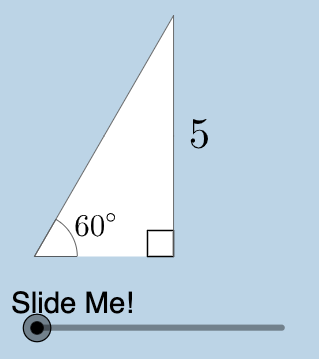
Special Right Triangle (2): Thinking Classroom Exploration
This example demonstrates geometric figure construction and transformation using GeoGebra, including triangles, circles, and polygons. Core math concepts involve geometric construction, trigonometry, coordinate geometry, and transformations. Key GeoGebra commands and objects used from the construction summary include Center, Rotate, Intersect, Midpoint, Angle, Polygon, Dilate, Segment, CircleArc, Textfield, RotateText, and Mirror. Suitable for high school and above learners to understand geometric construction methods and the application of related mathematical concepts.
GeoGebra Commands & Parameters
Center(c) → ARotate(B, pi / 3, A) → B'_1Intersect(h, i) → CMidpoint(A, B'_1) → JAngle(B, A, B'_1) → βRotate(B, pi / 4, A) → B'_2Angle(B, A, B'_2) → γIntersect(g, i) → DPolygon(A, D, B'_2) → poly2, b'_2, a_2, dPolygon(A, C, B'_1) → poly3, b'_1, a_3, c_1Dilate(A, If[0 < a ≤ 1, 1 - a, 0], J) → A'_1Segment(A, A'_1) → kDilate(J, If[1 < a ≤ 2, 2 - a, 0], B'_1) → F'CircleArc(A, B'_1, B) → pTextfield(r) → InputBox1Segment(J, F') → mMidpoint(C, B'_1) → KDilate(C, If[0 < a ≤ 1, 1 - a, 0], K) → C'Dilate(K, If[1 < a ≤ 2, 2 - a, 0], B'_1) → K'Segment(C, C') → jSegment(K, K') → lAngle(B'_1, C, A) → αDilate(A, If[2 < a ≤ 3, 3 - a, 0], C) → A'Segment(A, A') → nRotate(A, If[3.5 < a ≤ 4.5, ((a - 3.5) * pi / 3), pi / 3], A) → A'_3Rotate(A', If[3.5 < a ≤ 4.5, ((a - 3.5) * pi / 3), pi / 3], A) → A''Segment(A'_3, A'') → n'Rotate(A'_3, If[4.5 < a ≤ 5.5, ((a - 4.5) * pi), pi], J) → FRotate(A'', If[4.5 < a ≤ 5.5, ((a - 4.5) * pi), pi], J) → A'''Segment(F, A''') → n''CircleArc(A, B, B'_1) → qRotateText(text4, ((-pi)) / 2) → text6Mirror(A, j) → A'_{2}Mirror(C, j) → C'_{1}Mirror(B'_1, j) → EPolygon(A'_{2}, C'_{1}, E) → poly3', e, a'_{2}, c'_{1}Mirror((0, 0), A') → GRotate((0, 0), (-(pi / 3)), G) → HMirror(F, l) → F'_{1}Mirror(A''', l) → ISegment(F'_{1}, I) → n'''Mirror(A'_3, j) → LMirror(A'', j) → A'''_{1}Segment(L, A'''_{1}) → n''_{1}Mirror(A, j) → A'_{4}Mirror(A', j) → A''_{1}Segment(A'_{4}, A''_{1}) → n'_{1}Angle(N, M, (0, 0)) → δ
AI Drawing Prompt Reference
Draw a geometric construction: start from the center of a circle or arc, draw two rays extending outward to intersect the circle, forming two triangles with different angles; use this center point to dilate the triangles, creating inner similar triangles; draw segments connecting corresponding vertices between the two triangles radiating from the center; then reflect the entire figure across one of these connecting lines to create a mirrored copy. The overall composition shows a radially symmetric structure spreading from the center, including circular arcs, triangles, multiple radial line segments, and a symmetrical duplicate.
The prompt above was compiled from the original drawing commands and is for reference only.