
Center of Rotation-Dilation
Loading the math board and drawing, please wait…
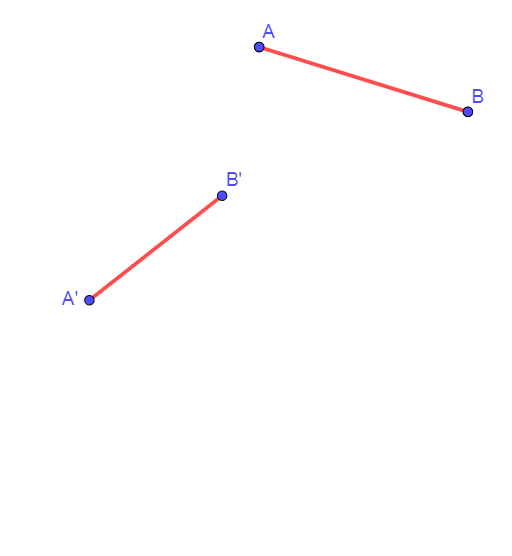
This example demonstrates the center of rotation-dilation and its effect on geometric figures. It involves core concepts like transformation, geometric construction, trigonometric functions, and vectors. Constructed using GeoGebra commands such as If, Segment, Intersect, Circle, Polygon, Angle, and Dilate. Suitable for high school and above students to understand the properties of geometric transformations.
GeoGebra Commands & Parameters
If(t < 0.5, 0, (2 * (t - 0.5))) → t2If(t < 0.5, (2 * t), 1) → t1Segment(A', B') → gIntersect(Line[B, B'], Line[A, A']) → PCircle(P, A', B') → dCircle(P, A, B) → cIntersect(c, d, 2) → OSegment(A, B) → fSegment(A, A') → hSegment(B, B') → iSegment(P, B') → kSegment(P, A') → jPolygon(O, B, A) → t2_{1}, a, o_1, bAngle(B, O, A) → αAngle(B', O, A') → βAngle(O, A, B) → γAngle(O, A', B') → δDilate(Rotate[A, (t1 * Angle[A, O, A']), O], 1 - t2 + (t2 * r), O) → A_0Dilate(Rotate[B, (t1 * Angle[A, O, A']), O], 1 - t2 + (t2 * r), O) → B_0Polygon(O, B_0, A_0) → t3, a_0, o_2, b_0Angle(B, P, A) → εAngle(B', O, A') → ζIntersect(c, d, 1) → CSegment(C, O) → lAngle(O, A', B') → θAngle(O, C, B) → η
AI Drawing Prompt Reference
In a plane, start with points A and B and their corresponding points A′ and B′. Draw the segments A–B, A–A′, and B–B′, and take the intersection P of the line through B and B′ with the line through A and A′. Construct two circles centered at P: one determined by radii to A′ and B′, and another determined by radii to A and B; the intersection of these circles gives the center O. Use O to connect to A and B and mark the key angles ∠B O A, ∠B′ O A′, ∠O A B, and ∠O A′ B′. Then rotate A and B about O using an angle derived from the marked angles, apply a dilation with center O to obtain A₀ and B₀, and draw the polygon/triangle O B₀ A₀ while indicating the main angles involved.
The prompt above was compiled from the original drawing commands and is for reference only.