
Geometric Simulation of the Seconds Pendulum: Period, Length, and Vibrating Para
Loading the math board and drawing, please wait…
In collections
The Domain of the Time (intuitive kinematics)
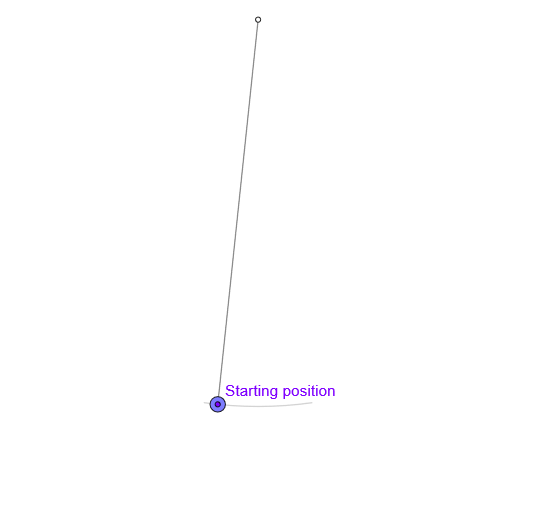
This example demonstrates, via an animated geometric construction, how a “seconds pendulum” vibrates with an approximately one-second period under gravity, showing time-dependent quantities such as displacement and velocity. The main mathematical ideas include periodic motion modeled through parameters, angle measurement and transformation, vector direction handling via orthogonal unit vectors, and computations involving averaging (mean) and summation (Sum) over the motion cycle. Construction-wise, it uses Circle to define the motion path, Rotate to swing the pendulum arm around the pivot, Point and Segment for key locations and connections, UnitOrthogonalVector to obtain a perpendicular unit direction, and Line for directional relations. Conditional logic with If and time-control variables (e.g., animation and pause controls) update the state as the time parameter t advances, producing visual outputs linked to period T, amplitude amp, and velocity vel. Suitable for advanced high school through introductory college lessons, especially for teaching vibration/oscillation concepts, transformation-based geometry, and parameter-driven or discrete numerical modeling.
GeoGebra Commands & Parameters
Circle(O, l) → cRotate(O + (0, (-l)), -8°, O) → ARotate(O + (0, (-l)), 8°, O) → A'CircleArc(O, A, A') → arcPoint(arc) → PPoint(c) → MSegment(O, M) → rUnitOrthogonalVector(r) → nIf(Length[reg] ≟ 1, {reg(1)}, Sequence[reg(k) - reg(k + 1), k, 1, Length[reg] - 1]) → regDifmean(regDif) → TAngle(P, O, (x(O), -100)) → ampSum(Sequence[((((2 * k))! / ((2^((2 * k)) * (k!)^(2))))^(2) * (sin(amp / 2))^((2 * k))), k, 0, 83]) → sumSegment(O, P) → rPLine(M, gt) → i
AI Drawing Prompt Reference
Draw a circle centered at a fixed pivot point to represent the path of a pendulum bob. From the pivot, extend a vertical segment downward, then rotate it by about 8 degrees to the left and right to mark the two extreme swing positions, and connect these two points with a circular arc to show the swing range. Place a point on the arc to represent the current bob position, and another point on the circle as a reference. Connect the pivot to the reference point to form a radius, and construct a unit vector perpendicular to this radius to indicate the velocity direction. Compute the average difference between successive reference positions to estimate the period, and measure the angle between the bob position and the vertical downward line as the amplitude. Finally, connect the pivot to the bob, and draw a line through the reference point parallel to a given direction to illustrate the geometric relationships during oscillation.
The prompt above was compiled from the original drawing commands and is for reference only.