
Geometric Visualization of Random Dealing and Probability
Loading the math board and drawing, please wait…
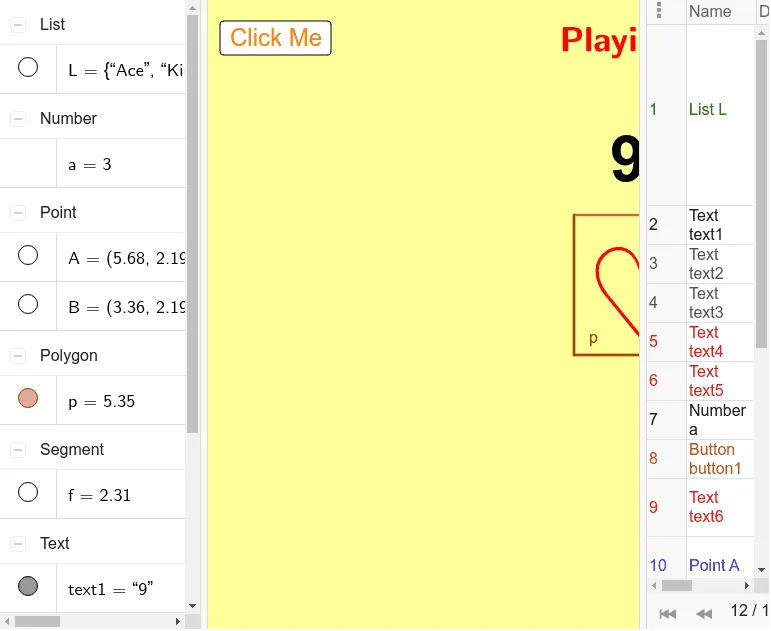
This example simulates “playing cards” as a random discrete experiment and places the outcomes as points in the plane, letting learners visually observe how the distribution evolves with repeated trials—an intuitive demonstration of probability converging toward stable behavior. The key math ideas are discrete random trials, empirical probability (Probability & Statistics), and using a scatter-style geometric arrangement to read frequency-like patterns from the generated outcomes. Construction-wise, it relies on GeoGebra’s RandomElement and Random to generate the randomized outcomes (random deal / random placements), and uses Polygon to create a polygonal geometric region or frame that organizes where the points relate to the experiment. Interactive elements such as a trigger button (e.g., button1) and multiple text labels (text1–text6) support explanation of what the generated points represent, while objects like a, A, B, C, D and parameter-like elements (p, f, g, h, i) connect the random outputs to the displayed geometry. Suitable for secondary school through early university probability lessons, classroom demonstrations, and exploratory projects on simulation-based learning.
GeoGebra Commands & Parameters
RandomElement(L) → text1Random(1, 4) → aPolygon(A, B, 4) → p, f, g, h, i, C, D
AI Drawing Prompt Reference
Draw a plane graph of random points representing random experiment results. Include a trigger button and multiple text labels to explain the meaning of the points. As the number of trials increases, the distribution of points stabilizes. This helps intuitively understand the convergence of probability.
The prompt above was compiled from the original drawing commands and is for reference only.