
rhombus by mallikarjunsudi
Loading the math board and drawing, please wait…
GeoGebra Commands & Parameters
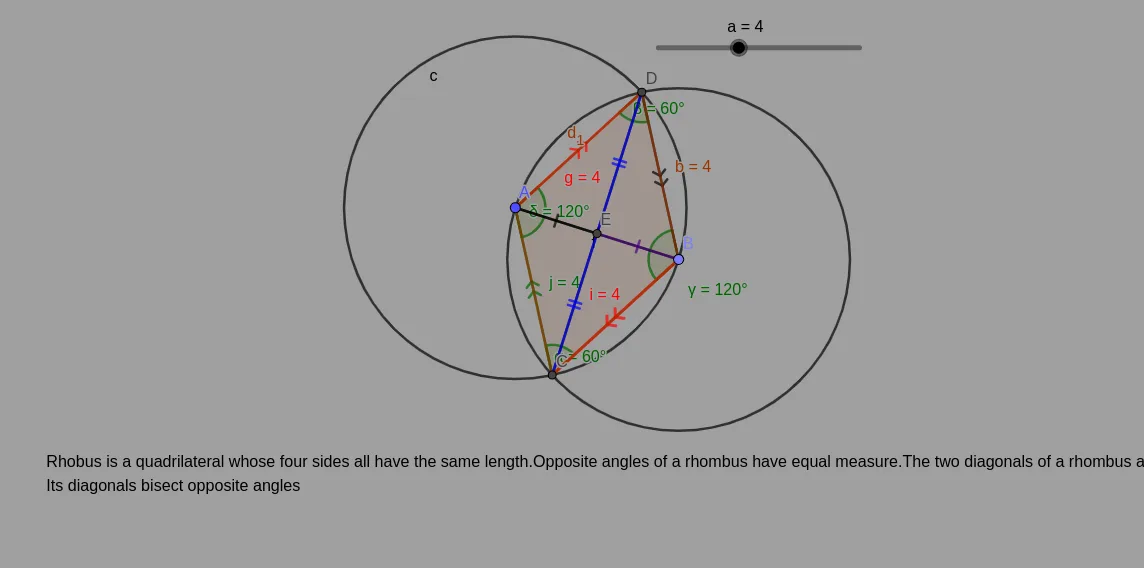
Point(Circle[A, a]) → BSegment(A, B) → fCircle(A, a) → cCircle(B, a) → dIntersect(d, c) → C, D, ,Segment(A, D) → gSegment(D, B) → hSegment(B, C) → iSegment(C, A) → jSegment(D, C) → kAngle(B, C, A) → αAngle(A, D, B) → βAngle(D, B, C) → γAngle(C, A, D) → δPolygon(A, C, B, D) → q1, a_1, c_1, b, d_1Intersect(f, k) → ESegment(D, E) → lSegment(E, C) → mSegment(A, E) → nSegment(E, B) → p
AI Drawing Prompt Reference
Draw a rhombus by first placing a point as the center, drawing a circle with a fixed radius, and picking a point on the circle as the first vertex. Connect the center to this vertex to form one side. Then draw another circle with the same radius centered at this vertex; the two circles intersect at two other vertices. Connect all vertices to form four equal sides. Mark the four interior angles with angle symbols, and draw the diagonals. At their intersection, add auxiliary segments to divide the rhombus into triangles, highlighting its symmetry and angle properties.
The prompt above was compiled from the original drawing commands and is for reference only.