
Geometric construction for the Pythagorean theorem and trigonometric link
Loading the math board and drawing, please wait…
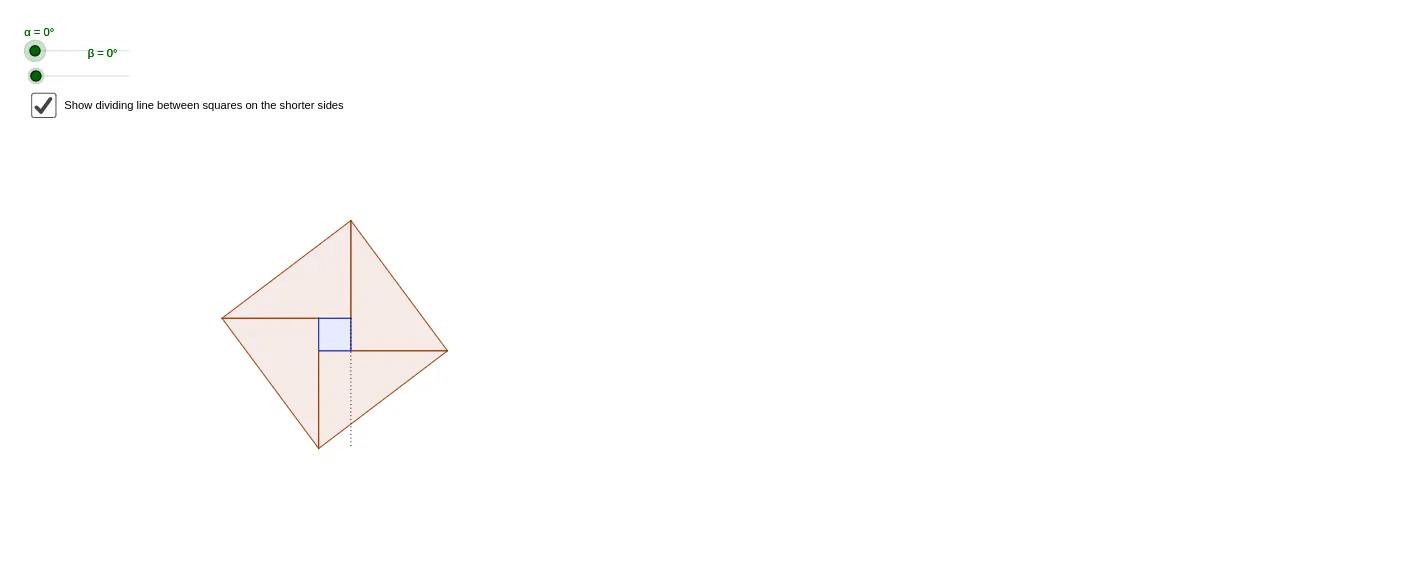
This example uses geometric constructions—especially point operations and rotations—to demonstrate the Pythagorean theorem in a right triangle, showing the relationship between the legs and the hypotenuse through constructed segments and polygonal regions. It also connects the configuration to trigonometric quantities by using defined angles (α, β) and the idea that side lengths correspond to trigonometric components (e.g., sine-like relationships). Key concepts include the Pythagorean theorem, right-triangle geometry, angle definition, and circle/unit-circle style reasoning for interpreting lengths via angles. Construction details from the GeoGebra command list: Intersect and Point to create key intersection points and vertices (e.g., A, B, C and others), Segment to form the necessary side/height lines (a, b, c, h and related labeled segments), Polygon to assemble regions or boundary shapes (poly1, poly2', poly3', poly4, poly5), and Rotate to reposition objects and generate the paired geometric layout. Suitable for middle/high school geometry lessons, interactive exploration, and conceptual reinforcement of theorem–trigonometry connections.
GeoGebra Commands & Parameters
Intersect(xAxis, yAxis) → APoint(yAxis) → BPolygon(A, B, C) → poly1, c, a, bPolygon(G, A, H) → poly4, h, g_1, a_1Rotate(C, α, C) → C'Rotate(D, α, C) → D'Rotate(E, α, C) → E'Polygon(C', D', E') → poly2', e', c', d'Rotate(E, (-β), G) → E'_1Rotate(F, (-β), G) → F'Rotate(G, (-β), G) → G'Polygon(E'_1, F', G') → poly3', g', e'_1, f'Polygon(B, D, F, H) → poly5, b_1, d_1, f_1, h_1Intersect(b_1, d_1) → ISegment(I, J) → d
AI Drawing Prompt Reference
Draw a right triangle with labeled legs and hypotenuse. Construct multiple polygonal regions using rotations and intersections to demonstrate the relationship between the legs and hypotenuse. Connect the configuration to trigonometric quantities by defining angles α and β, and showing how side lengths correspond to trigonometric components through rotations and constructed segments. Start with the axes intersection and right triangle, then rotate and intersect to create key points and polygons, finally connecting some segments.
The prompt above was compiled from the original drawing commands and is for reference only.