
Magic Clock: Geometric Construction and Circular Arc Segmentation
Loading the math board and drawing, please wait…
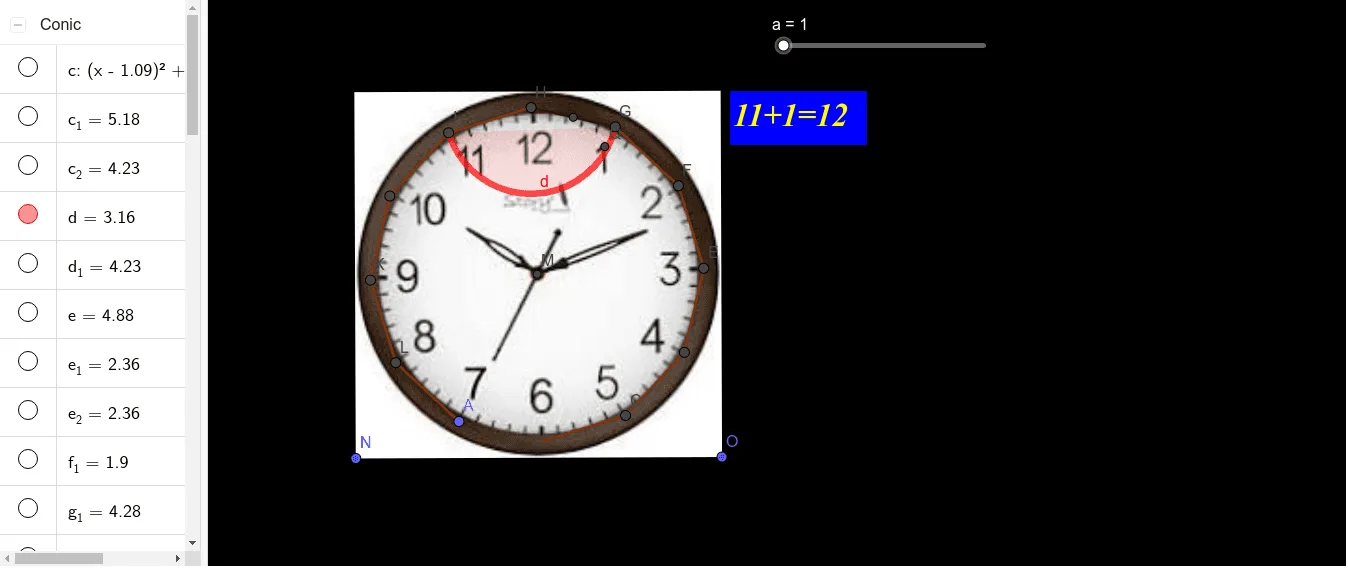
This example demonstrates a “magic clock” style circular construction where arc segments and pie-like regions form a clock-face diagram. It emphasizes how geometric symmetry and precise partitioning determine intuitive event weights, enabling a visually grounded introduction to probability-like reasoning over segments (and optionally links to geometric mean ideas and circular chart interpretation). Key concepts include circle and circular-arc geometry, sector/segment division, use of midpoints for symmetry, and angle bisectors to enforce consistent splitting rules. Construction approach in GeoGebra: create key points (e.g., A, B, and related labeled points), build the boundary using Polygon (such as poly1), draw Segment and LineBisector to generate the dividing structures, compute Intersection points to locate where lines meet circles (objects like C, D, E and others), use Circle and CircleArc to draw the full circles and arc portions, and apply Midpoint to set symmetric reference locations. Labels via text objects (e.g., text2, text3) support interpretation. Suitable for middle/high school geometry lessons, interactive demonstrations, and early math modeling with a focus on geometric construction and probability visual intuition.
GeoGebra Commands & Parameters
Point(yAxis) → APolygon(A, B, 12) → poly1, f, p, q, r, C, D, E, F, G, H, I, g, J, K, L, h, i, j, k, l, m, nSegment(B, H) → sLineBisector(H, B) → tIntersect(s, t) → MCircle(M, B) → cCircleArc(H, I, G) → dCircleArc(H, J, F) → eCircleArc(H, K, E) → c_1CircleArc(H, L, D) → d_1CircleArc(H, A, C) → e_1Segment(H, G) → bMidpoint(H, G) → PCircleArc(P, H, G) → f_1CircleArc(P, I, F) → g_1CircleArc(P, J, E) → h_1CircleArc(P, K, D) → k_1CircleArc(P, L, C) → p_1CircleArc(P, A, B) → r_1Midpoint(H, F) → QCircleArc(Q, H, F) → q_1CircleArc(Q, I, E) → s_1CircleArc(G, J, D) → t_1CircleArc(G, K, C) → c_2CircleArc(Q, L, B) → e_2
AI Drawing Prompt Reference
Create a “magic clock” style circular geometry diagram. Start by drawing a polygonal boundary using key marked points A and B, with H serving as a main construction reference. Use the segment from B to H, then construct a symmetric divider along that direction and find its intersection point M. Draw a circle determined by M and B. Next, draw several circular-arc pieces centered around H by using arcs between H and the corresponding marked points (such as I, J, K, L, A, C and others) to form partition lines across the disk. Take the midpoint of H and G as P, then draw additional circular arcs centered at P, connecting P with H and G as well as with I–F, J–E, K–D, L–C, and A–B, respectively. Finally, take the midpoint of H and F as Q and add more arcs centered at Q (for example through the I–E and related points) so the whole face looks symmetric and partitioned like a clock chart.
The prompt above was compiled from the original drawing commands and is for reference only.