
Constructing a Triangle’s Incircle in GeoGebra
Loading the math board and drawing, please wait…
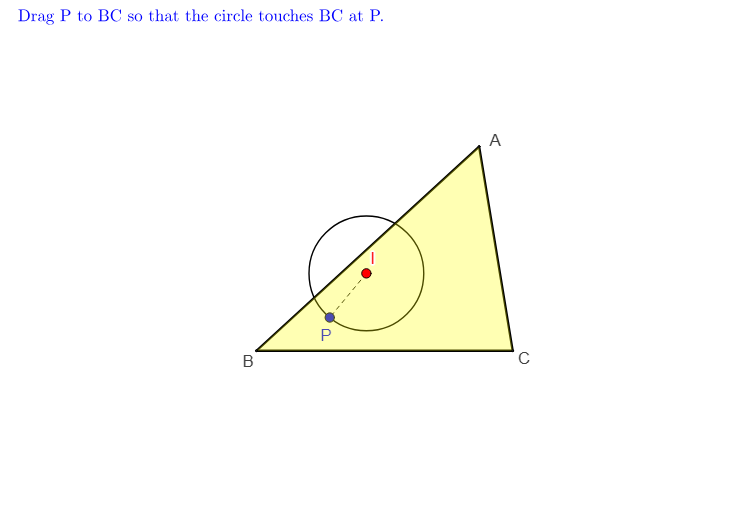
This example demonstrates how to construct the incircle (inscribed circle) of a triangle and locate the tangency points on its three sides. It centers on key ideas: the definition of the incircle, the tangent point properties of circles and lines, and the fact that angle bisectors correspond to points equidistant from the triangle’s sides, which determines the circle uniquely. Construction workflow uses GeoGebra commands such as Polygon and Segment to build the triangle, Ray and Angle (with if logic where needed) to guide angle-bisector style constructions, Circle to create the candidate circle, and Intersect to find the circle–line/edge intersection points that become the tangency points (e.g., touch_a, touch_b, touch_c). The result is a clear, interactive geometry construction suitable for secondary-school geometry practice and instruction.
GeoGebra Commands & Parameters
Segment(B, C) → aSegment(A, B) → cSegment(C, A) → bCircle(I, P) → dPolygon(A, B, C) → poly1, c_1, a_1, b_1Intersect(a, OrthogonalLine[P, a]) → EPoint(a) → P1Circle(I, P1) → e1Intersect(OrthogonalLine[I, OrthogonalLine[P1, a]], OrthogonalLine[P1, a]) → I1Intersect(OrthogonalLine[I1', Line[B, C]], Line[B, C]) → E1Segment(I1', E1) → eCircle(I1', E1) → e2Ray(B, Intersect[AngularBisector[C, B, A], b]) → fIntersect(OrthogonalLine[I1', f], f) → I_1If(Distance[I1', I_1] < k / 8, true, false) → touch_cIntersect(OrthogonalLine[I1', Line[A, B]], Segment[A, B]) → QSegment(I1', Q) → hRay(C, Intersect[AngularBisector[A, C, B], c]) → gIntersect(OrthogonalLine[I1', g], g) → I_2If(Distance[I1', I_2] < k / 8, true, false) → touch_bIntersect(OrthogonalLine[I1', Line[A, C]], Segment[A, C]) → RSegment(I1', R) → iSegment(I, P) → lAngle(I1', E1, B) → αSegment(I, P1) → mIntersect(e1, a) → F1, F2Angle(I1', Q, B) → βAngle(I1', R, A) → γSegment(I, F2) → jIntersect(f, g) → I_3
AI Drawing Prompt Reference
Draw a triangle and construct its incircle. Start by drawing the three sides of the triangle. Then, from each vertex, draw an angle bisector; the three bisectors intersect at a single point, which is the incenter. Using this point as the center, draw a circle that is tangent to all three sides of the triangle. Mark the three tangency points where the circle touches each side. Also, draw perpendicular lines from the incenter to each side, with the feet of these perpendiculars being the tangency points. The final figure should clearly show the triangle, the incircle, the incenter, and the three tangency points, along with the auxiliary angle bisectors and perpendiculars.
The prompt above was compiled from the original drawing commands and is for reference only.