
Geometric Visualization of a Linear Vector Function
Loading the math board and drawing, please wait…
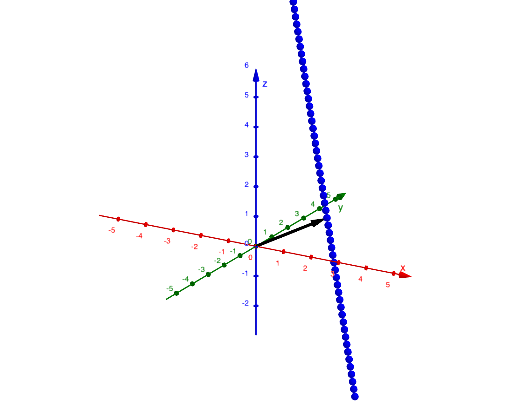
This example demonstrates how a linear vector function evolves when a parameter (t) changes, making the vector’s directional and scaling behavior visible on a geometric construction. It focuses on core ideas such as linear vector functions (vector-valued linear relationships), the parameter-to-position mapping, and the connection between vectors and straight-line geometry. The construction is guided by GeoGebra’s setup: objects include the parameter t and the key vector-defining points A and B, while the command Intersect, Vector is used to compute the relevant intersection determined by vector directions/associated lines, thereby locating the parameterized vector position that satisfies the geometric condition. Suitable for secondary students and early university learners, it supports teaching vector-valued functions, parametric thinking, and vector-based geometric problem solving through interactive visualization.
GeoGebra Commands & Parameters
Intersect(xAxis, yAxis) → BVector(B, A) → u
AI Drawing Prompt Reference
Draw a graph of a linear vector function controlled by a parameter t. Points A and B move as t changes, drawing vectors from A to B. Show how the direction and length of the vector change with t. Include the parameter t and the dynamic change of vector positions to help understand the concept of linear vector functions.
The prompt above was compiled from the original drawing commands and is for reference only.