
Geometric Rotation Transformation: Polygon Rotation Demo
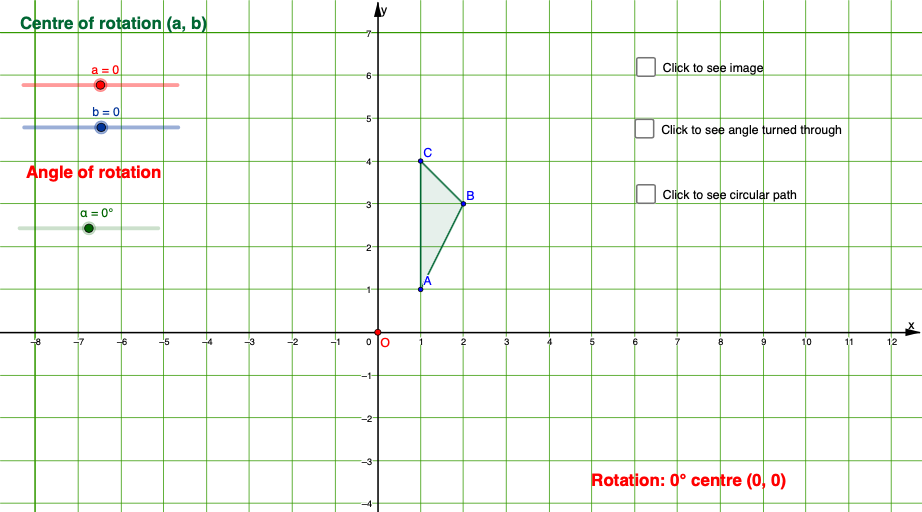
Loading the math board and drawing, please wait…
This example demonstrates the dynamic geometric construction of rotating a polygon around a specified center point O. The core mathematical concept is rotation transformation—rotation preserves the shape and size of a figure while only changing its position and direction, involving elements such as rotation angle, center of rotation, and corresponding points before and after rotation. Construction key points: Use GeoGebra's Rotate command to rotate polygon poly1 around center point O by angle α to obtain poly1', simultaneously showing the transformation relationships of corresponding points A→A', B→B', C→C', with adjustable rotation angle via sliders. Suitable for middle school geometry teaching, rotation concept explanation, and geometric construction training.
GeoGebra Commands & Parameters
Polygon(A, B, C) → poly1, c, a_1, b_1Rotate(A, α, O) → A'Rotate(B, α, O) → B'Rotate(C, α, O) → C'Polygon(A', B', C') → poly1', c', a', b'Segment(A, O) → fSegment(O, A') → gAngle(A, O, A') → βAngularBisector(f, g) → h, iPoint(i) → DAngle(A', O, A) → γPoint(i) → ESegment(O, C) → j