
Geometric Construction of the Paris Chamber of Commerce Logo
Loading the math board and drawing, please wait…
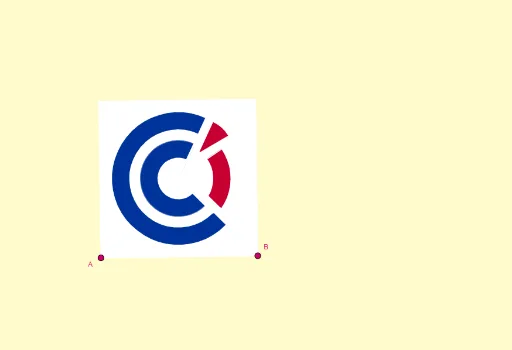
① This GeoGebra example precisely reconstructs the logo of the Paris Chamber of Commerce and Industry (CCI Paris), demonstrating how to build a symmetric emblem using fundamental geometric elements. ② Core mathematical concepts include equilateral triangles, circles, symmetry, rotation, vectors, perpendicular lines, angle bisectors, polygons, and circular sectors, covering classic two-dimensional geometry constructions and transformations. ③ Construction highlights: from the summary, the commands used are Line, OrthogonalLine, LineBisector, Vector, OrthogonalVector, Mirror, Intersect, Circle, Rotate, Midpoint, Polygon, CircleSector, and Segment, with objects such as A, B, s, b, m, u, v, I, h, C, d, N, O, K, P, F, E, q, j, N_1, l, f, U, J, G, M, i, S, Q, H, g, D, M', etc., built step by step and combined via symmetry transformations to form the complete logo. ④ Suitable for high school or university geometry courses, mathematical modeling, or design education, to illustrate geometric construction, symmetry transformations, and the mathematical principles behind graphic design, as well as a comprehensive practice case for advanced GeoGebra commands.
GeoGebra Commands & Parameters
Line(A, B) → sOrthogonalLine(A, s) → bLineBisector(A, B) → mVector(A, B) → uOrthogonalVector(u) → vOrthogonalLine(I, b) → hLineBisector(A, C) → dMirror(h, d) → h'Intersect(m, h') → NIntersect(m, d) → ECircle(E, P) → qLine(F, E) → jRotate(j, (7 * π / 18), E) → j'_1Line(N_1, j) → lOrthogonalLine(C, v, xOyPlane) → fIntersect(f, m) → UMidpoint(C, A) → JOrthogonalLine(M, d) → iMirror(i, m) → i'Intersect(h, m) → SMirror(Q, m) → Q'OrthogonalLine(B, u, xOyPlane) → gIntersect(g, f) → DMirror(M, m) → M'Midpoint(E, M') → LIntersect(g, h') → A_1Polygon(A, B, D, C) → q11, a_3, b_2, d_2, c_3Circle(E, N) → cCircle(E, O) → kCircle(E, K) → pIntersect(c, j) → R, TIntersect(k, j) → V, WIntersect(p, j) → Z, B_1Intersect(q, j) → C_1, E_1Intersect(c, j'_1) → F_1, G_1Intersect(k, j'_1) → H_1, I_1Intersect(p, j'_1) → J_1, K_1Intersect(q, j'_1) → L_1, M_1Circle(E, O_1) → e_1Circle(E, P_1) → f_1CircleSector(E, R, G_1) → rCircleSector(E, C_1, M_1) → d_1CircleSector(E, V, I_1) → tCircleSector(E, Z, K_1) → c_1Rotate(l, (7 * π / 18), E) → j'Intersect(e_1, j') → Q_1, R_1Intersect(f_1, j') → S_1, T_1Intersect(c, l) → U_1, V_1Intersect(f_1, l) → W_1, Z_1Rotate(U_1, (-(35°)), W_1) → A_2CircleSector(W_1, A_2, U_1) → eRotate(W_1, (-(15°)), E) → B_2Line(A_2, W_1) → nLine(B_2, n) → aIntersect(e_1, a) → C_2, G_2Intersect(a, j') → H_2CircleSector(E, R_1, C_2) → g_1CircleSector(E, T_1, B_2) → h_1Polygon(E, R_1, H_2) → t1, i_1, j_1, l_1CircleSector(E, Z, K_1) → k_1Segment(E, R) → m_1Segment(E, I_1) → n_1Segment(E, C_2) → p_1Segment(E, R_1) → q_1
AI Drawing Prompt Reference
Draw the Paris Chamber of Commerce logo by first creating line segment AB, then constructing its perpendicular and angle bisector lines, using vectors and rotations to generate key points and segments, and finally forming the overall shape through mirroring and intersection operations.
The prompt above was compiled from the original drawing commands and is for reference only.