
Isosceles Right Triangle Construction with Vector Transformations
Loading the math board and drawing, please wait…
In collections
Special Right Triangle (1): Thinking Classroom Exploration
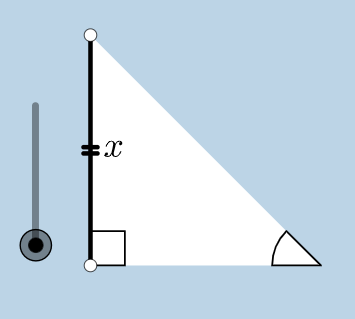
This GeoGebra example demonstrates constructing an isosceles right triangle and applying vector transformations. Key mathematical concepts include properties of isosceles and right triangles, geometric relationships between points and lines, rotation and dilation transformations, vector translation, and circular arc drawing. Construction details: Use Polygon command to draw triangle ABC, apply Rotate for rotation, utilize Vector and Translate for vector translation, employ Circle and CircleSector for arcs, and use Angle and OrthogonalLine for angle and perpendicular relationships. Suitable for middle and high school mathematics geometry construction teaching, also valuable for exploring triangle congruence, similarity, and coordinate transformations.
GeoGebra Commands & Parameters
Circle(B, C) → cSegment(B, C) → aOrthogonalLine(C, a) → bRotate(C, 45°, B) → C'Angle(C, B, C') → αRay(B, C') → dIntersect(b, d) → ASegment(A, C) → eSegment(B, A) → fPolygon(B, C, A) → poly1, a_1, b_1, c_1Line(B, C) → hPoint(h) → DPoint(h) → ERay(C, E) → iPoint(i) → FRay(C, F) → jDilate(B, If[0 < g ≤ 1, 1 - g, 0], C) → B'Segment(B, B') → kDilate(C, If[1 < g ≤ 2, 2 - g, 0], A) → C'_1Segment(C, C'_1) → lCircle(C, (0.2 * a)) → pIntersect(p, j, 1) → GIntersect(p, e, 1) → HIntersect(p, a, 1) → ICircle(A, (0.2 * a)) → qIntersect(q, e, 1) → JIntersect(q, f, 1) → KCircleSector(C, H, I) → sDilate(A, If[2 < g ≤ 3, 3 - g, 0], B) → A'Segment(A, A') → mCircleSector(A, K, J) → tRotate(s, If[3.5 < g ≤ 4.5, ((-(g - 3.5)) * pi / 2), -1.5707963267948966], C) → s'Dilate(A, If[5.5 < g ≤ 6.5, 6.5 - g, 0], B) → A'_1Vector(A, A'_1) → uTranslate(t, u) → t'Rotate(B, If[16 < g ≤ 17, ((-(g - 16)) * pi / 2), ((-pi)) / 2], C) → B'_1Rotate(B', If[4.5 < g ≤ 5.5, ((-(g - 4.5)) * pi / 2), -1.5707963267948966], C) → B''Segment(B'_1, B'') → k'Rotate(t', If[6.5 < g ≤ 7.5, (((-(g - 6.5)) * 5) * pi / 4), -3.92699], B) → t''Dilate(A, If[7.5 < g ≤ 8.5, 8.5 - g, 0], C) → A'_2Vector(A, A'_2) → vTranslate(t, v) → t'_1Rotate(t'_1, If[8.5 < g ≤ 9.5, (((-(g - 8.5)) * 3) * pi / 4), -2.356194490192345], C) → d_1Dilate(A, If[9.5 < g ≤ 10.5, 10.5 - g, 0], C) → A'_3Vector(A, A'_3) → wTranslate(t, w) → t'_2Rotate(t'_2, If[10.5 < g ≤ 11.5, ((-(g - 10.5)) * pi / 2), -1.5707963267948966], C) → e_1Angle(C, B, B'_1) → γAngle(B, C'_1, C) → βAngle(C'_1, C, B) → δCircle(B, (0.2 * a)) → r
AI Drawing Prompt Reference
Draw an isosceles right triangle and demonstrate vector transformations. Start by drawing one side of the triangle, then draw a perpendicular line from one endpoint to create a right angle. Rotate the line segment 45 degrees from the intersection point to form the triangle. Next, use the triangle's vertices and sides to draw circular arcs and rays, and apply vector translations and rotations to illustrate transformations and congruence.
The prompt above was compiled from the original drawing commands and is for reference only.