
Homothety (Homotecia) Example: Constructing Similar Figures via Dilation
Loading the math board and drawing, please wait…
In collections
geometriadinamica.es
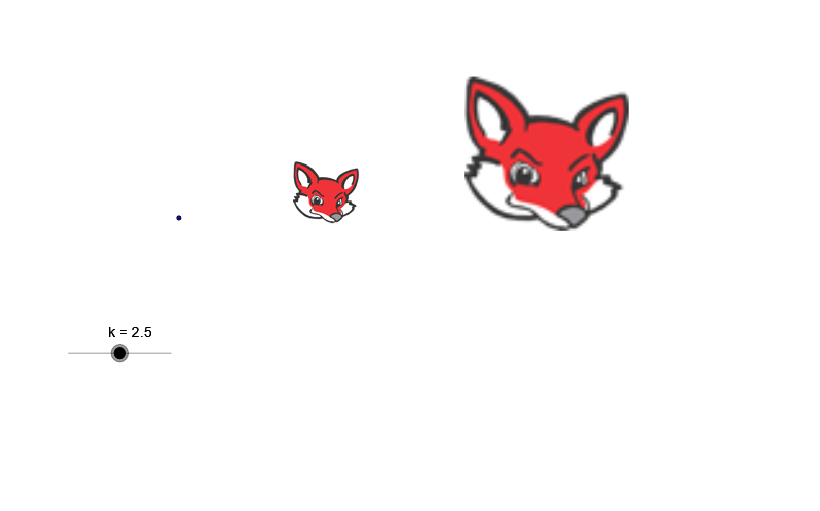
This GeoGebra example demonstrates homothety (a center-based dilation) in plane geometry. Starting from a given shape or set of points, the construction applies a fixed center and a scale factor to create the image figure that is similar to the original, with corresponding points lying on the same lines through the center. The key concepts are homothety, similarity under transformation, and the role of the dilation factor in preserving angles while scaling lengths proportionally. Construction details from the provided summary: it uses the GeoGebra command Dilate, transforming objects labeled A, pic1, k into pic2, where A acts as the dilation center, pic1 is the preimage, k is the scale factor, and pic2 is the resulting image. This is suitable for middle and high school geometry lessons, as well as self-study and classroom demonstrations of transformations and similarity.
GeoGebra Commands & Parameters
Dilate(pic1, k, A) → pic2
AI Drawing Prompt Reference
Draw a triangle, then use point A as the center and scale factor k to create a similar triangle. First, draw a triangle, select point A as the center, input the scale factor k, and then generate the similar triangle.
The prompt above was compiled from the original drawing commands and is for reference only.