
Geometric Construction for Finding Square Root
Loading the math board and drawing, please wait…
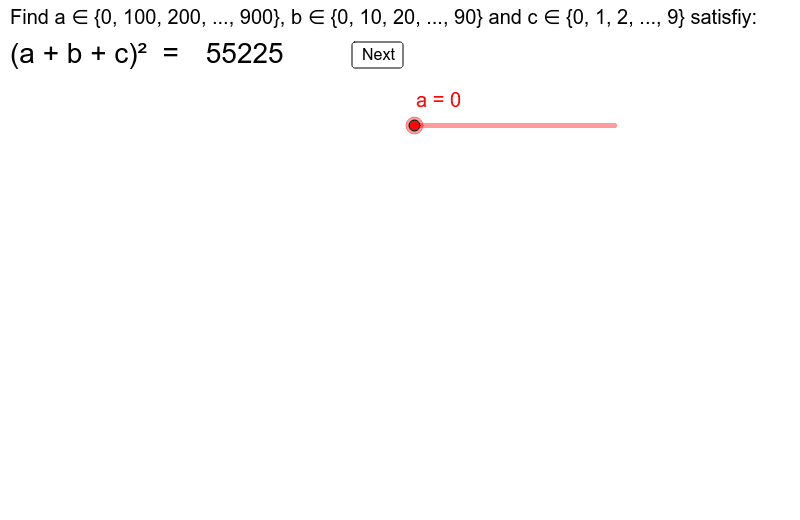
This GeoGebra example demonstrates how to find the square root of a number through geometric construction, turning an abstract arithmetic operation into a visual, interactive diagram. The core mathematical concepts include square roots, right triangles, trapezoids, sequences and series, and interest calculation, but the main focus is on using geometric relationships—such as proportions or areas in right triangles—to determine the square root. The construction employs GeoGebra commands such as Rotate, Midpoint, VerticalText, Segment, Vector, and Corner, and involves multiple polygons (poly2 to poly8), text labels (text1 to text12), and a button (button1) for interactive control. This example is suitable for middle school, high school, or introductory college mathematics, helping students grasp the geometric meaning of square roots through dynamic manipulation and exploration.
GeoGebra Commands & Parameters
Rotate(Polygon[O, O + (a', 0), O + (a', (-a')), O + (0, (-a'))], 0, (1, -4)) → poly2Rotate(Polygon[O + (a', 0), O + (a' + b', 0), O + (a' + b', (-a')), O + (a', (-a'))], 0, (0, 0)) → poly3Rotate(Polygon[O + (a' + b', (-a')), O + (a', (-a')), O + (a', (-a') - b'), O + (a' + b', (-a') - b')], 0, (0, 0)) → poly4Rotate(Polygon[O + (a', (-a')), O + (0, (-a')), O + (0, (-a') - b'), O + (a', (-a') - b')], 0, (0, 0)) → poly5Rotate(Polygon[O + (a' + b', 0), O + (a' + b', (-a') - b'), O + (a' + b' + c', (-a') - b'), O + (a' + b' + c', 0)], 0, (16, 7)) → poly6Rotate(Polygon[O + (a' + b', (-a') - b'), O + (a' + b' + c', (-a') - b'), O + (a' + b' + c', (-a') - b' - c'), O + (a' + b', (-a') - b' - c')], 0, (0, 0)) → poly7Rotate(Polygon[O + (a' + b', (-a') - b'), O + (a' + b', (-a') - b' - c'), O + (0, (-a') - b' - c'), O + (0, (-a') - b')], 0, (0, 0)) → poly8Midpoint(O, O + (a', (-a'))) → AMidpoint(O + (a', 0), O + (a' + b', (-a'))) → BMidpoint(O + (a', (-a')), O + (0, (-a') - b')) → CMidpoint(O + (a' + b', (-a')), O + (a', (-a') - b')) → DMidpoint(O + (a' + b', 0), O + (a' + b' + c', (-a') - b')) → EMidpoint(O + (a' + b', (-a') - b'), O + (0, (-a') - b' - c')) → FMidpoint(O + (a' + b', (-a') - b'), O + (a' + b' + c', (-a') - b' - c')) → GVerticalText("c(a+b)") → text5Segment(O + (0, 1), O + (0, 3)) → dSegment(O + (a', 1), O + (a', 3)) → eVector(O + (0, 2), O + (a', 2)) → uVector(O + (a', 2), O + (0, 2)) → vSegment(O + (-1, 0), O + (-3, 0)) → fSegment(O + (-1, (-a')), O + (-3, (-a'))) → gVector(O + (-2, 0), O + (-2, (-a'))) → wVector(O + (-2, (-a')), O + (-2, 0)) → hSegment(O + (a' + b', 1), O + (a' + b', 3)) → iVector(O + (a', 2), O + (a' + b', 2)) → jVector(O + (a' + b', 2), O + (a', 2)) → kSegment(O + (-1, (-a') - b'), O + (-3, (-a') - b')) → lVector(Midpoint[g], Midpoint[l]) → mVector(Midpoint[l], Midpoint[g]) → pSegment(O + (a' + b' + c', 1), O + (a' + b' + c', 3)) → qVector(Midpoint[i], Midpoint[q]) → rVector(Midpoint[q], Midpoint[i]) → sSegment(O + (-1, (-a') - b' - c'), O + (-3, (-a') - b' - c')) → tVector(Midpoint[l], Midpoint[t]) → u_1Vector(Midpoint[t], Midpoint[l]) → v_1Corner(1) → C_1Corner(2) → C_2Corner(3) → C_3Corner(4) → C_4Corner(5) → C_5