
GeoGebra Gown
Loading the math board and drawing, please wait…
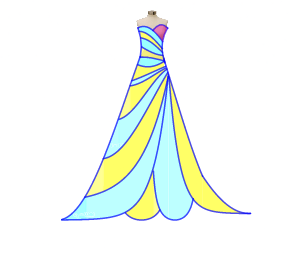
This GeoGebra example demonstrates how to use the geometric construction tool to draw a complex gown pattern. Core mathematical concepts include functions and trigonometric functions. By using commands like Point, CircumcircleArc, and IntegralBetween, a beautiful geometric figure can be constructed. Suitable for high school mathematics education and learning.
GeoGebra Commands & Parameters
Point(a) → DPoint(c) → EPoint(t_1) → HPoint(a) → IPoint(b) → JPoint(d) → KPoint(q_1) → LCircumcircleArc(D, E, G) → ePoint(r_1) → MCircumcircleArc(H, J, M) → kIntegralBetween(p(x), q(x), -4.2, 0.8) → a_{1}IntegralBetween(q_1(x), q(x), -5.7, -4.2) → b_{1}IntegralBetween(q_1(x), q(x), -5.7, -4.2) → c_{1}IntegralBetween(f_1(x), h_1(x), -2.14, 0.82) → d_{1}IntegralBetween(s(x), t(x), -1.35, 0.74) → jIntegralBetween(f(x), g(x), -0.83, 0.64) → hIntegralBetween(c(x), d(x), -0.75, 0.54) → lIntegralBetween(a(x), b(x), -0.9, 0.54) → mIntegralBetween(b(x), c(x), -0.81, 0.54) → nIntegralBetween(d(x), f(x), -0.75, 0.54) → oIntegralBetween(g(x), s(x), -0.98, 0.64) → rIntegralBetween(q_1(x), s(x), -1.35, -0.98) → uIntegralBetween(q_1(x), g(x), -0.98, -0.83) → vIntegralBetween(t(x), f_1(x), -1.45, 0.74) → wIntegralBetween(q_1(x), f_1(x), -2.14, -1.45) → e_1IntegralBetween(q_1(x), h_1(x), -3.12, -2.14) → iIntegralBetween(h_1(x), p(x), -3.12, 0.87) → g_1IntegralBetween(q_1(x), p(x), -4.27, -3.12) → i_1IntegralBetween(q(x), p_1(x), -1.75, 0) → j_1IntegralBetween(g_2(x), p_1(x), 0, 0.38) → k_1IntegralBetween(q(x), g_2(x), -0.02, 0.9) → l_1IntegralBetween(r_2(x), g_2(x), 0.95, 2.45) → m_1IntegralBetween(r_1(x), r_2(x), 0.95, 3.03) → n_1IntegralBetween(s_1(x), r_2(x), 3.03, 6) → o_1IntegralBetween(t_1(x), a(x), -0.04, 0.56) → u_1IntegralBetween(t_1(x), f_2(x), 0.56, 0.87) → v_1
AI Drawing Prompt Reference
Draw a complex geometric figure consisting of points, circular arcs, and integral regions. The figure includes points D, E, H, I, J, K, L, and connections via arcs e and k. Integral regions a1, b1, c1, d1, j, h, l, m, n, o, r, u, v, w, e1, i, g1, i1, j1, k1, l1, m1, n1, o1, u1, and v1 form various areas. These regions are connected through function relationships, creating a complex geometric pattern suitable for mathematical education.
The prompt above was compiled from the original drawing commands and is for reference only.