
GeoGebra Basics: Linking Points with Function Graphs
Loading the math board and drawing, please wait…
In collections
Authomath GeoGebra Basics Course
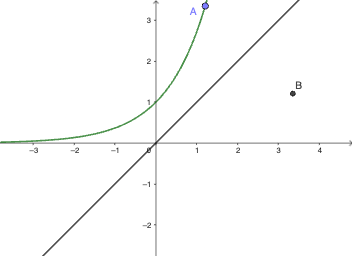
This example demonstrates how to perform basic constructions in GeoGebra by placing and using points to support the visualization of function-graph relationships. It focuses on core ideas such as graphing functions on a coordinate plane, using points to mark meaningful features (e.g., reference positions or intersections), and building geometric intuition from the displayed configuration. From the provided construction summary, the key construction is “Point” applied to objects f, g, A, and B, meaning points are created/used based on the function objects and given points to help the learner interpret the graph interaction. The activity is well-suited for middle school through early undergraduate audiences, especially for introductory lessons on graphing, interpreting function plots, and connecting geometric point placement with visual properties of functions.
GeoGebra Commands & Parameters
Point(f) → A
AI Drawing Prompt Reference
Draw a coordinate plane with a function curve plotted on it. Place a single prominent point directly on the curve to mark a reference position. The point should lie on the curve, helping to illustrate the relationship between the graph and its coordinates. The overall figure should clearly show the curve's shape and the point's location on it, supporting the understanding of how points on a function graph correspond to the function's values.
The prompt above was compiled from the original drawing commands and is for reference only.