
Function Linearization Illustrator (Calculus)
Loading the math board and drawing, please wait…
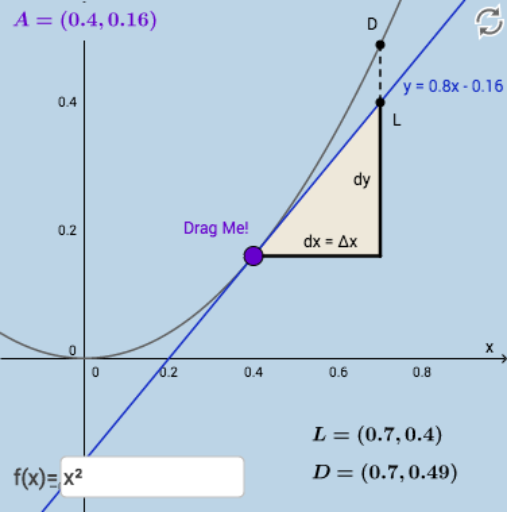
This dynamic and interactive GeoGebra example demonstrates the linearization of a function at a point, visually illustrating the approximation of the function by its tangent line. Key math concepts include derivatives, tangent lines, difference and slope, and linear approximation. Constructed using GeoGebra commands like Textfield, Tangent, Slope, Intersect, Segment, Polygon, with interactive elements such as InputBoxes and buttons. Ideal for university calculus instruction or self-study to understand local linearization properties.
GeoGebra Commands & Parameters
Textfield(f) → InputBox9Textfield(g) → InputBox10Textfield(h) → InputBox11Textfield(k) → InputBox7Textfield(e) → InputBox1Textfield(i) → InputBox2Textfield(j) → InputBox3Textfield(l) → InputBox4Textfield(a) → InputBox5Tangent(A, f) → bSlope(b) → m_1Textfield(c) → InputBox6Textfield(d) → InputBox8Intersect(b, f_1) → LIntersect(f, f_1, 1) → DSegment(A, B) → g_1Segment(B, L) → dyPolygon(A, B, L) → poly1, l_1, a_1, b_1Segment(L, D) → h_1Textfield(dx) → InputBox12Textfield(f) → InputBox13