
Fraction Reduction Demo
Loading the math board and drawing, please wait…
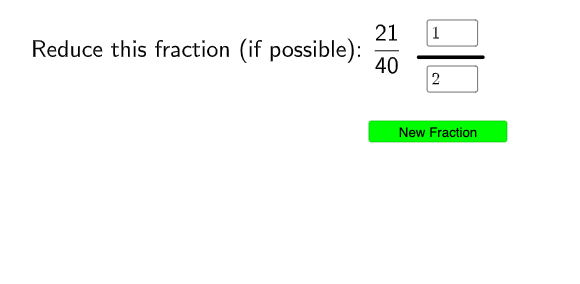
This example demonstrates the process of reducing fractions by dynamically showing how the greatest common divisor (GCD) simplifies the numerator and denominator. It involves core math concepts like fractions, reduction, and GCD. Constructed using GeoGebra commands such as Remove, RandomElement, FractionText, GCD, Point, Textfield, Segment, Numerator, and Denominator to generate random fractions, display them, and animate the reduction process. Suitable for middle school mathematics teaching to help students visually understand the principle of reduction and enhance mathematical application skills.
GeoGebra Commands & Parameters
Remove(Sequence[u, u, 2, 50], {2, 3, 5, 7, 11, 17, 13, 19, 23, 19, 31, 37, 41, 43, 47}) → NRandomElement(N) → nRemove(Sequence[u, u, 2, 50], {2, 3, 5, 7, 11, 17, 13, 19, 23, 19, 31, 37, 41, 43, 47}) → DRandomElement(D) → dFractionText(n / d) → text2GCD(n, d) → aPoint(yAxis) → APoint(yAxis) → BTextfield(ansn) → InputBox1Textfield(ansd) → InputBox2Segment(F, G) → fNumerator(n / d) → bDenominator(n / d) → cPoint(yAxis) → HPoint(yAxis) → I
AI Drawing Prompt Reference
Create a dynamic fraction-reduction illustration: randomly choose two integers between 2 and 50 as the numerator and denominator, and display the original fraction as text. Compute their greatest common divisor to serve as the key factor for simplification, and present the GCD-related intermediate result along with value input fields for the numerator and denominator. Include the extracted numerator and denominator components from the fraction as labeled parts, and add several reference points along a vertical axis to help with alignment and layout of the displayed elements.
The prompt above was compiled from the original drawing commands and is for reference only.