
Find the Faces of the Cube
Loading the math board and drawing, please wait…
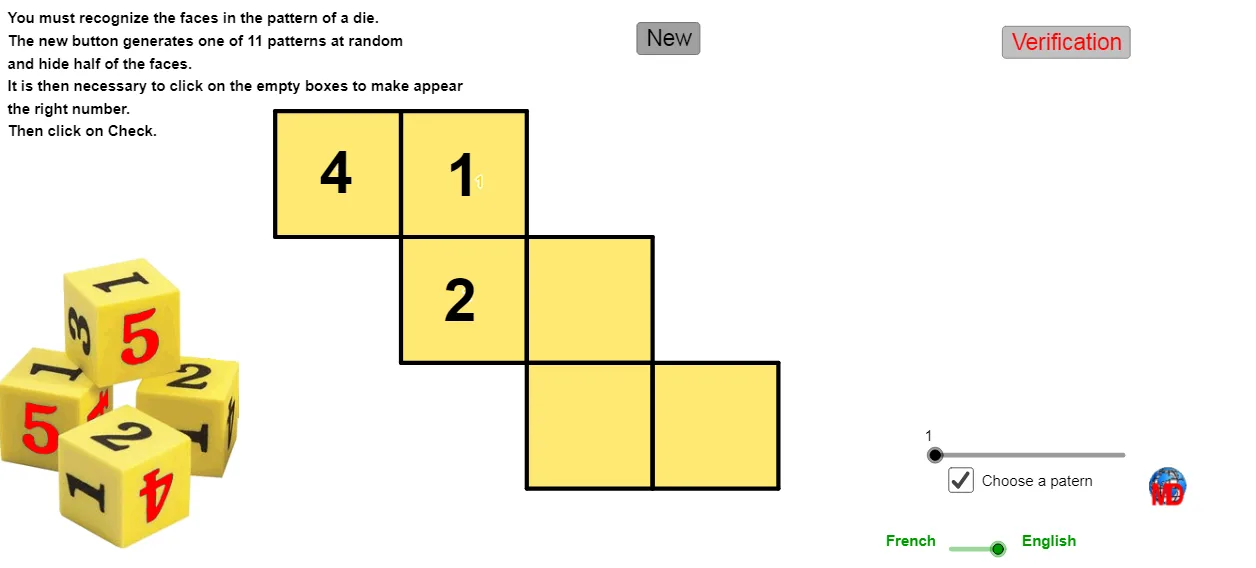
This example demonstrates how to dynamically visualize the faces of a cube using GeoGebra. Key math concepts include solid geometry, polygon construction, random selection, and geometric transformations. Construction highlights involve commands like Polygon, Random, If, Element, Centroid, and Text. Suitable for high school students and above for learning solid geometry and geometric constructions, or for educational demonstrations.
GeoGebra Commands & Parameters
Polygon(A_1, A_1 + (1, 0), A_1 + (1, -1), A_1 + (0, -1)) → poly1, a, b, c, dPolygon(A_2, A_2 + (1, 0), A_2 + (1, -1), A_2 + (0, -1)) → poly2, e, f, g, hPolygon(A_3, A_3 + (1, 0), A_3 + (1, -1), A_3 + (0, -1)) → poly3, i, j, k, lPolygon(A_4, A_4 + (1, 0), A_4 + (1, -1), A_4 + (0, -1)) → poly4, m, n, p, a_1Polygon(A_5, A_5 + (1, 0), A_5 + (1, -1), A_5 + (0, -1)) → poly5, q, r, s, tPolygon(A_6, A_6 + (1, 0), A_6 + (1, -1), A_6 + (0, -1)) → poly6, b_1, c_1, d_1, e_1Random(1, 6) → decalageIf(Random[0, 1] ≟ 1, true, false) → voir3If(Random[0, 1] ≟ 1, true, false) → voir2If(Random[0, 1] ≟ 1, true, false) → voir1If(choisir, np, Random[1, 11]) → nppElement(patrons, npp) → patronCentroid(poly3) → ACentroid(poly2) → BCentroid(poly1) → CCentroid(poly6) → DText(de6, D - (0.15, 0.15)) → txt6Centroid(poly5) → EText(de5, E + (-0.15, -0.15)) → txt5Centroid(poly4) → FText(de4, F - (0.15, 0.15)) → txt4Text(de2, B - (0.15, 0.15)) → txt2Centroid(poly3) → GText(de3, G - (0.15, 0.15)) → txt3Text(de1, C - (0.15, 0.15)) → txt1
AI Drawing Prompt Reference
Draw a cube net consisting of six square faces, each formed by translating a unit square. Place a random number or symbol at the center of each face. Some faces may be shown or hidden based on random conditions. The overall figure is a dynamic, interactive solid geometry visualization showing the six faces of a cube and their spatial relationships. Each face is a polygon with four vertices, a centroid marker, and a text label.
The prompt above was compiled from the original drawing commands and is for reference only.