
Filling a Rectangular Prism
Loading the math board and drawing, please wait…
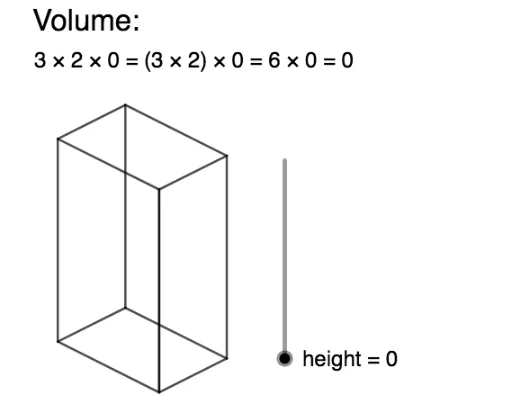
This example demonstrates how stacking rectangular blocks visually represents the volume calculation of a prism. It involves core concepts like volume, rectangular prism geometry, and 3D space. Constructed using commands like Sequence and Segment in GeoGebra, it visually shows the volume formation. Suitable for middle school and above students to understand volume formulas and spatial geometry concepts.
GeoGebra Commands & Parameters
Sequence(Segment[(n, height - n / 2), (n, ((-n)) / 2)], n, 0, b) → list1Sequence(Segment[(n + b, ((-b)) / 2 + n / 2), (n + b, ((-b)) / 2 + n / 2 + height)], n, 0, c) → list2Sequence(Segment[(0, height - n), (b, ((-b)) / 2 - n + height)], n, 0, height) → list3Sequence(Segment[(b, ((-b)) / 2 + n), (b + c, ((-b)) / 2 + n + c / 2)], n, 0, height) → list4Sequence(Segment[(n, ((-n)) / 2 + height), (n + c, c / 2 - n / 2 + height)], n, 0, b) → list5Sequence(Segment[(n, height + n / 2), (n + b, height + n / 2 - b / 2)], n, 0, c) → list6Segment(D, A) → fSegment(A, B) → gSegment(B, E) → hSegment(E, D) → iSegment(G, F) → jSegment(F, E) → kSegment(F, C) → lSegment(E, B) → mSegment(D, G) → nSegment(G, H) → pSegment(C, B) → sSegment(A, I) → qSegment(I, C) → r
AI Drawing Prompt Reference
Draw a rectangular prism filled with stacked blocks to visualize volume calculation. Start with the base rectangle, then stack layers upward, connecting each block with lines to form a 3D structure, demonstrating the prism's spatial geometry and volume concept.
The prompt above was compiled from the original drawing commands and is for reference only.