
Exploring Conic Section Possibilities
Loading the math board and drawing, please wait…
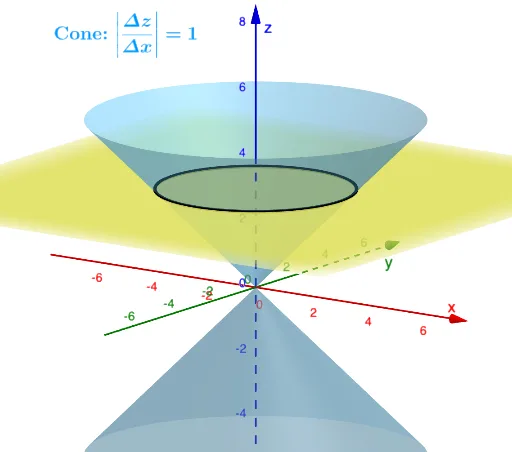
This example demonstrates various conic sections generated by different relative positions between a cone and a plane, including circles, ellipses, hyperbolas, and parabolas. Key math concepts involved are conic sections, quadratic curves, parametric equations, and 3D vectors. Construction highlights include using commands like Cone, IntersectPath, Intersect, and Mirror in GeoGebra. Suitable for high school students and above to learn about the formation principles and properties of conic sections, ideal for mathematical instruction and geometric visualization.
GeoGebra Commands & Parameters
IntersectPath(Plane, Cone) → aIntersect(xAxis, zAxis) → ACone(B, A, Distance[A, B]) → b, c, dIntersectPath(Plane, e) → fMirror(d, z = 0) → d'
AI Drawing Prompt Reference
Visualize various conic sections formed by intersecting a cone with a plane at different relative positions, including circles, ellipses, hyperbolas, and parabolas, with emphasis on 3D views and parametric equations, highlighting key geometric construction steps for high school students to understand the formation principles and properties of conic sections.
The prompt above was compiled from the original drawing commands and is for reference only.