
Expanding Binomials with a Multiplication Frame
Loading the math board and drawing, please wait…
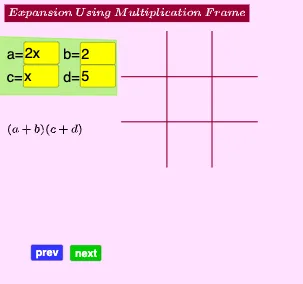
This GeoGebra example demonstrates how to expand binomial products (via a multiplication frame or multiplication grid) by visually organizing term-by-term combinations, making the resulting coefficients and terms appear through the underlying geometric connections. It centers on key ideas such as binomial multiplication, the distributive property, and systematic tracking of terms and coefficients. Construction is built using GeoGebra tools referenced in the build summary: Textfield and InputBox elements (for variables like a, b, c, d), Segment objects to draw the grid/frame lines (e.g., seg1–seg4), Text objects to label symbols and expanded-term annotations, and Polygon to form the frame regions that represent how factors pair up. The graphical structure links algebraic expansion directly to a geometric layout, making it well-suited for secondary school instruction and early undergraduate algebra visualization.
GeoGebra Commands & Parameters
Textfield(a) → InputBoxaTextfield(b) → InputBoxbTextfield(c) → InputBoxcTextfield(d) → InputBoxdSegment(C14, D14) → seg1Segment(C15, D15) → seg2Segment(C16, D16) → seg3Segment(C17, D17) → seg4Text(h, C21) → textabText(q, D21) → textbcText(p, C22) → textadText(r, D22) → textbdText(a, C20) → textaText(b, D20) → textbText(c, B21) → textcText(d, B22) → textdText(multiply, B20) → text6Polygon(I, J, K, L) → poly1, i_1, j_1, k_1, l_1Polygon(M, N, O, P) → poly2, m_1, n, o, p_1Polygon(Q, R, S, T) → poly3, q_1, r_1, s_1, t_1Polygon(A_1, B_1, C_1, D_1) → poly5, a_1, b_1, c_1, d_1Polygon(E_1, F_1, G_1, H_1) → poly6, e_1, f_1, g_1, h_1Polygon(I_1, J_1, K_1, L_1) → poly7, i_2, j_2, k_2, l_2Polygon(M_1, N_1, O_1, P_1) → poly8, m_2, n_1, o_1, p_2Polygon(Q_1, R_1, S_1, T_1) → poly3_1, q_2, r_2, s_2, t_2Polygon(U_1, V_1, W_1, Z_1) → poly4, u_1, v_1, w_1, z_1Polygon(A_2, B_2, C_2, D_2) → poly9, a_2, b_2, c_2, d_2
AI Drawing Prompt Reference
Draw a binomial multiplication frame diagram. The diagram should include four input boxes for variables a, b, c, and d. A grid of four line segments should be drawn to divide the area. Text labels should be added to annotate variables and expanded terms. Polygon regions should represent factor pairing. The construction order should be: first create input boxes and line segments, then add text labels, and finally draw polygon regions. The diagram should clearly show the geometric structure of binomial expansion, suitable for algebra teaching.
The prompt above was compiled from the original drawing commands and is for reference only.