
Equivalent Polar Coordinate Representations of Points
Loading the math board and drawing, please wait…
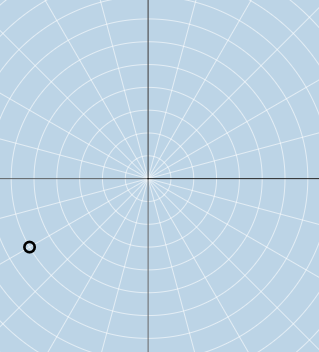
This GeoGebra example demonstrates how the same point in the plane can be represented by equivalent polar coordinates using different radius/angle choices (notably angle periodicity differing by multiples of 2π), and it verifies the equivalence visually through construction. Key concepts include polar coordinate representation, the equivalence of angles via periodicity, and the geometric relationship between radius/angle and the corresponding point location. The construction leverages GeoGebra commands such as Ray (for angular direction), Circle (for radius constraint), Mirror (to reflect/relate positions), RandomElement (for controlled random selection), FractionText and Textfield (for readable symbolic/interactive labeling), and If (to switch between cases). The setup uses multiple geometric objects and parameter lists/variables (e.g., points like A, B, C, D and mirrored variants, along with f_{1}, g_{1}, and lists such as flist/rlist/ra), plus InputBox1–6 for user input and buttons (button1, button2) to trigger different verification steps. Suitable for high school to early undergraduate learners in coordinate geometry and trigonometry, especially when teaching polar coordinates and parameter-based graphing/validation.
GeoGebra Commands & Parameters
Ray(B, C) → f_{1}Circle(B, D) → cMirror(B, B) → B'_1RandomElement(flist) → jRandomElement(rlist) → raFractionText(j) → text3Ray((0, 0), (0, 1)) → g_{1}Ray((0, 0), (-1, 0)) → h_{1}Ray((0, 0), (0, -1)) → iTextfield(a1) → InputBox1Textfield(b1) → InputBox2Textfield(c1) → InputBox3Textfield(d1) → InputBox4Textfield(e1) → InputBox5Textfield(f1) → InputBox6If(corr1, "√", "X") → text5If(corr2, "√", "X") → text6If(corr3, "√", "X") → text7
AI Drawing Prompt Reference
Create a diagram illustrating equivalent polar coordinate representations of a point. Start with rays from the origin to show angular directions and a circle to represent radius constraints. Place a point on the plane and show how different angle/radius pairs (with angles differing by multiples of 2π) map to the same location. Use mirroring to relate corresponding points, and randomly select angle and radius values, displaying the angle as a fraction. Include six input boxes for user-entered parameters, with checkmarks or crosses to verify correctness. The layout should emphasize angle periodicity and coordinate equivalence.
The prompt above was compiled from the original drawing commands and is for reference only.