
Equal Area Triangle and Rectangle
Loading the math board and drawing, please wait…
In collections
Perimeters vs. Areas
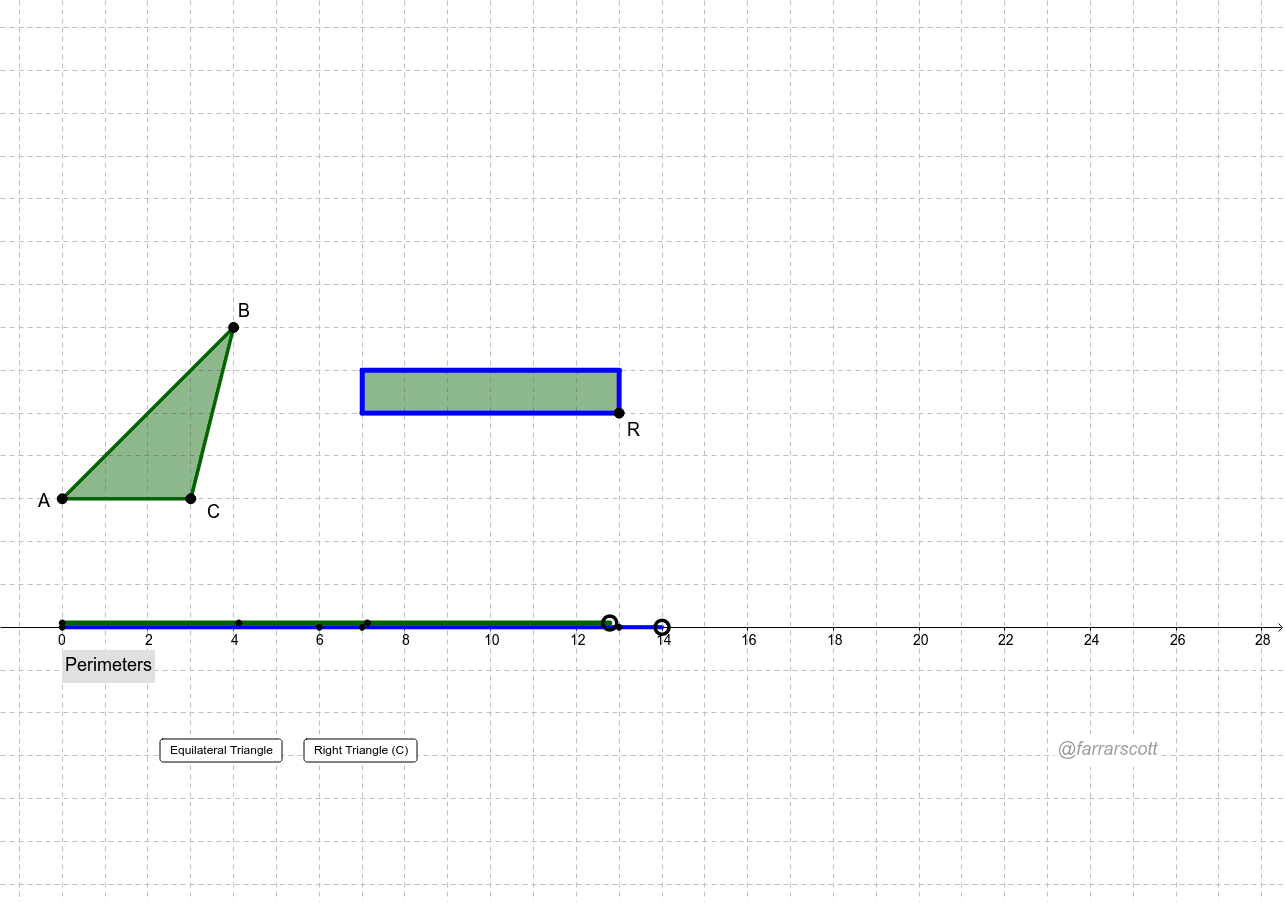
This example demonstrates the relationship between the areas of a triangle and a rectangle that are equal. Key mathematical concepts include the calculation of a triangle's area and the conditions for equal areas. By dragging points A, B, and C to change the triangle, point R can adjust the rectangle's size while keeping its area equal to that of the triangle. The construction uses commands such as Polygon, Circle, Point, Ray, OrthogonalLine, Distance, Intersect, Segment, Angle, and Line. Suitable for middle school and above students to learn geometric transformations and area calculations.
GeoGebra Commands & Parameters
Polygon(A, B, C) → poly1, c, a, bCircle(D, Area[poly1]) → dPoint(d) → ERay(D, E) → ePoint(e) → ROrthogonalLine(R, e) → fDistance(D, R) → wCircle(R, h) → kIntersect(k, f, 2) → GOrthogonalLine(G, f) → gOrthogonalLine(D, g) → iIntersect(g, i) → HPolygon(D, R, G, H) → poly2, d_1, f_1, g_1, h_1Point(yAxis) → FPoint(yAxis) → IPoint(Circle[I, a]) → JSegment(I, J) → jPoint(Circle[J, b]) → KSegment(J, K) → lPoint(Circle[K, c]) → LSegment(K, L) → mPoint(Circle[F, d_1]) → MSegment(F, M) → nPoint(Circle[M, f_1]) → NSegment(M, N) → pPoint(Circle[N, g_1]) → OSegment(N, O) → qPoint(Circle[O, h_1]) → PSegment(O, P) → rCircle(A, b) → sCircle(C, b) → tIntersect(s, t, 1) → QIntersect(s, t, 2) → SOrthogonalLine(C, b) → a_1Circle(C, b) → c_1Intersect(c_1, a_1, 2) → TIntersect(c_1, a_1, 1) → UAngle(A, C, B) → αOrthogonalLine(B, a_1) → b_1Intersect(a_1, b_1) → projBLine(Q, S) → e_1Intersect(b_1, e_1) → VCircle(A, sqrt((Area[poly1] * 4 / sqrt(3)))) → k_1