
Classifying Triangles by Angles by John Ulbright
Loading the math board and drawing, please wait…
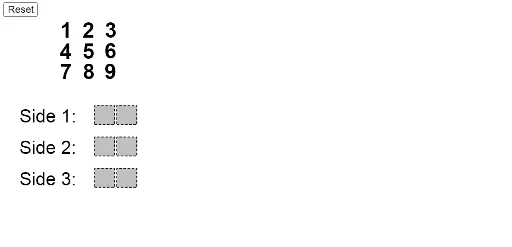
This example demonstrates how to classify triangles based on angle measures using dynamic geometry. It involves core math concepts like angle classification (acute, right, obtuse triangles), geometric constructions, and conditional logic. Key GeoGebra commands and objects used include Polygon, If, Min, Max, Element, Point, Circle, Segment, Intersect, Mod, Div, Midpoint, Text, and Angle for drawing and labeling triangles dynamically. Suitable for high school mathematics education, this tool aids in visualizing triangle classification criteria and dynamic geometric demonstrations.
GeoGebra Commands & Parameters
Polygon((-3.7, -5), (-2.8, -5), 4) → poly9Polygon((-4.7, -5), (-3.8, -5), 4) → poly8Polygon((-3.7, -3.5), (-2.8, -3.5), 4) → poly6Polygon((-4.7, -3.5), (-3.8, -3.5), 4) → poly5Polygon((-3.7, -2), (-2.8, -2), 4) → poly3Polygon((-4.7, -2), (-3.8, -2), 4) → poly2If(IsInRegion[A, poly9], 1, If[IsInRegion[B, poly9], 2, If[IsInRegion[C, poly9], 3, If[IsInRegion[D, poly9], 4, If[IsInRegion[E, poly9], 5, If[IsInRegion[F, poly9], 6, If[IsInRegion[G, poly9], 7, If[IsInRegion[H, poly9], 8, If[IsInRegion[I, poly9], 9, 0]]]]]]]]) → nineSumIf(IsInRegion[A, poly8], 1, If[IsInRegion[B, poly8], 2, If[IsInRegion[C, poly8], 3, If[IsInRegion[D, poly8], 4, If[IsInRegion[E, poly8], 5, If[IsInRegion[F, poly8], 6, If[IsInRegion[G, poly8], 7, If[IsInRegion[H, poly8], 8, If[IsInRegion[I, poly8], 9, 0]]]]]]]]) → eightSumIf(IsInRegion[A, poly6], 1, If[IsInRegion[B, poly6], 2, If[IsInRegion[C, poly6], 3, If[IsInRegion[D, poly6], 4, If[IsInRegion[E, poly6], 5, If[IsInRegion[F, poly6], 6, If[IsInRegion[G, poly6], 7, If[IsInRegion[H, poly6], 8, If[IsInRegion[I, poly6], 9, 0]]]]]]]]) → sixSumIf(IsInRegion[A, poly5], 1, If[IsInRegion[B, poly5], 2, If[IsInRegion[C, poly5], 3, If[IsInRegion[D, poly5], 4, If[IsInRegion[E, poly5], 5, If[IsInRegion[F, poly5], 6, If[IsInRegion[G, poly5], 7, If[IsInRegion[H, poly5], 8, If[IsInRegion[I, poly5], 9, 0]]]]]]]]) → fiveSumIf(IsInRegion[A, poly2], 1, If[IsInRegion[B, poly2], 2, If[IsInRegion[C, poly2], 3, If[IsInRegion[D, poly2], 4, If[IsInRegion[E, poly2], 5, If[IsInRegion[F, poly2], 6, If[IsInRegion[G, poly2], 7, If[IsInRegion[H, poly2], 8, If[IsInRegion[I, poly2], 9, 0]]]]]]]]) → twoSumIf(IsInRegion[A, poly3], 1, If[IsInRegion[B, poly3], 2, If[IsInRegion[C, poly3], 3, If[IsInRegion[D, poly3], 4, If[IsInRegion[E, poly3], 5, If[IsInRegion[F, poly3], 6, If[IsInRegion[G, poly3], 7, If[IsInRegion[H, poly3], 8, If[IsInRegion[I, poly3], 9, 0]]]]]]]]) → threeSumMin({side1, side2, side3}) → shortestSideMax({side1, side2, side3}) → longestSideElement(Remove[{side1, side2, side3}, {longestSide, shortestSide}], 1) → middleSidePoint({5 - ((5 * longestSide / 98) * side1slider), -5}) → bottomLeftCircle(bottomLeft, (shortestSide * 10 / 98)) → leftSideCirclePoint({5 + ((5 * longestSide / 98) * side1slider), -5}) → bottomRightSegment(bottomLeft, bottomRight) → bottomSideIntersect(leftSideCircle, bottomSide) → noIntersectionPoint_1, QCircle(bottomRight, (middleSide * 10 / 98)) → rightSideCircleIntersect(leftSideCircle, rightSideCircle) → intersectionPoint_1, intersectionPoint_2, ,If(y(intersectionPoint_1) > y(intersectionPoint_2), intersectionPoint_1, intersectionPoint_2) → intersectionPointPolygon((0, 0), (0.9, 0), 4) → poly1Polygon((0, 1), (0.9, 1), 4) → poly4Polygon((0, 2), (0.9, 2), 4) → poly7Mod(onesPlace, 10) → SAoneMod(tensPlace + Div[onesPlace, 10], 10) → SAtenDiv(onesPlace, 10) → SAtensCarryDiv(tensPlace + Div[onesPlace, 10], 10) → SAhundredsCarryPolygon(L, M, N, O) → q1, l, m, n, oSegment(bottomLeft, (bottomLeft * (1 - otherSidesTimer)) + (If[Defined[intersectionPoint], intersectionPoint, noIntersectionPoint_1] * otherSidesTimer)) → leftSideIntersect(rightSideCircle, bottomSide) → noIntersectionPoint_2, PSegment(bottomRight, (bottomRight * (1 - otherSidesTimer)) + (If[Defined[intersectionPoint], intersectionPoint, noIntersectionPoint_2] * otherSidesTimer)) → rightSideMidpoint(bottomSide) → bottomLabelPointCircle(bottomLeft, ((shortestSide * 10 / 98) * leftCircleTimer)) → growingLeftCircleCircle(bottomRight, ((middleSide * 10 / 98) * rightCircleTimer)) → growingRightCircleText(longestSide, bottomLabelPoint - (0, 1)) → text10Text(shortestSide, leftLabelPoint) → text11Text(middleSide, rightLabelPoint) → text13Angle(intersectionPoint, bottomLeft, bottomRight) → αAngle(intersectionPoint, bottomRight, bottomLeft) → βAngle(bottomRight, intersectionPoint, bottomLeft) → γ
AI Drawing Prompt Reference
Create a dynamic geometry illustration showing how to classify triangles by angle measures. Include multiple polygon regions where points determine the triangle type (acute, right, obtuse). Use a slider to control triangle side lengths, dynamically displaying the shortest, longest, and middle sides, along with corresponding circles and segments. Calculate and label the angles between the three vertices, forming a complete demonstration of triangle classification.
The prompt above was compiled from the original drawing commands and is for reference only.