
Ellipse Dynamic Demonstration
Loading the math board and drawing, please wait…
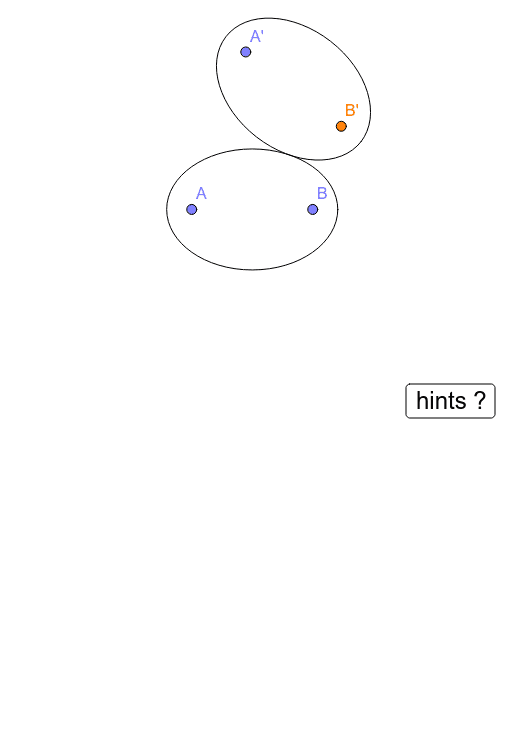
This example demonstrates the dynamic behavior of an ellipse and its related geometric properties. It involves core mathematical concepts such as conic sections, ellipses, conditional probability, reflection, logarithms, histograms, and tangent lines. The construction utilizes GeoGebra commands like Point, Mirror, Ellipse, Tangent, Segment, Intersect, and Angle. It is suitable for high school students and educators exploring geometric properties of ellipses and applications in probability and statistics.
GeoGebra Commands & Parameters
Point(xAxis) → AMirror(A, yAxis) → BPoint(yAxis) → CEllipse(A, B, C) → cPoint(c) → DTangent(D, c) → a,Mirror(B, a) → B'Mirror(A, a) → A'Mirror(c, a) → c'Segment(A, D) → bSegment(B, D) → dSegment(D, B') → eSegment(B', B) → fIntersect(a, f) → EMirror(E, D) → E'Angle(B, D, E) → αAngle(E, D, B') → βAngle(A, D, E') → γSegment(B', A) → g
AI Drawing Prompt Reference
Draw a dynamic ellipse, showing its foci and tangent. Start by placing two points on the coordinate axes and use them as foci to draw the ellipse. Then, find any point on the ellipse and draw the tangent line at that point. Use the tangent as a mirror line to reflect the foci and the ellipse itself, creating new points and shapes. Finally, connect relevant points to form segments and calculate key angles to demonstrate the geometric properties and symmetry of the ellipse.
The prompt above was compiled from the original drawing commands and is for reference only.