
EigenVectors and EigenValues
Loading the math board and drawing, please wait…
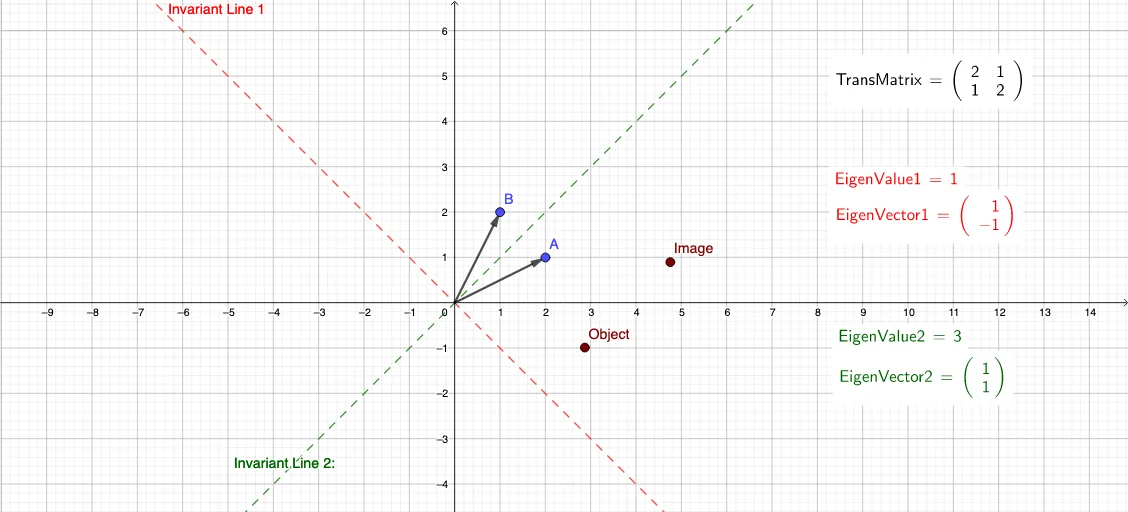
This example demonstrates the geometric significance of eigenvalues and eigenvectors under matrix transformations. It involves core mathematical concepts such as matrix operations, linear transformations, eigenvalues, and eigenvectors. Key GeoGebra commands used include Intersect, Vector, LaTeX, Sequence, Solutions, and ApplyMatrix, with objects like Orig, A, u, B, v, TransMatrix, EigenVals, EigenVect1, EigenVect2, etc. It is suitable for high school and above students to learn and explore fundamental linear algebra concepts, ideal for classroom demonstrations and exploratory learning.
GeoGebra Commands & Parameters
Intersect(xAxis, yAxis) → OrigVector(Orig, A) → uVector(Orig, B) → vLaTeX(TransMatrix, true, true) → HelloSequence((Random[-5, 5], Random[-5, 5]), a, 1, 10) → L_1Sequence(ApplyMatrix[TransMatrix, L_1(a)], a, 1, 10) → L2Solutions(((x(A) - x) * (y(B) - x)) - (x(B) * y(A))) → EigenValsSolutions(x(A) - EigenVals(1) + (x(B) * x) = 0) → EigenVect1Solutions(x(A) - EigenVals(2) + (x(B) * x) = 0) → EigenVect2LaTeX(EigenValue1, true, true) → text2LaTeX(EigenValue2, true, true) → text3ApplyMatrix(TransMatrix, MoveObject) → ImageLaTeX(EigenVector1, true, true) → text4LaTeX(EigenVector2, true, true) → text5
AI Drawing Prompt Reference
Create a diagram illustrating eigenvalues and eigenvectors under matrix transformations. Start by drawing the origin and two vectors A and B, then generate a 10x2 random matrix and apply it to create a new vector sequence. Next, find the eigenvalues and eigenvectors of the matrix, represent the transformed image using the eigenvectors, and label the eigenvalues and eigenvectors.
The prompt above was compiled from the original drawing commands and is for reference only.