
Dynamic Geometry Illustration by Tim Brzezinski (9)
Loading the math board and drawing, please wait…
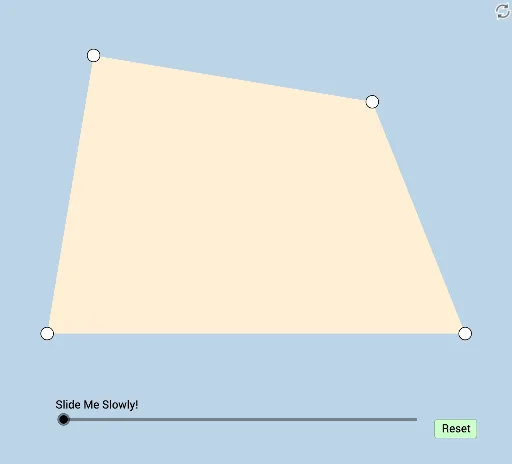
This example dynamically demonstrates polygon construction and related geometric transformations. It involves core concepts like area, centroid, dilation, quadrilaterals, limits, solids, random experiments, and straight lines. Construction highlights include commands such as Polygon, Midpoint, Segment, Intersect, Angle, Circle, Min, Dilate, Rotate, Vector, Translate, and CircleSector. Suitable for high school students and math enthusiasts exploring geometric transformations and limit phenomena.
GeoGebra Commands & Parameters
Polygon(A, B, C, D) → q1, a, b, c, dMidpoint(c) → EMidpoint(b) → FMidpoint(a) → GMidpoint(d) → HSegment(A, C) → fSegment(D, B) → gSegment(C, H) → hSegment(A, E) → iIntersect(i, h) → ISegment(B, E) → jSegment(D, F) → kIntersect(k, j) → JSegment(C, G) → lSegment(A, F) → mIntersect(m, l) → KSegment(B, H) → nSegment(D, G) → pIntersect(p, n) → LPolygon(I, J, K, L) → q2, i_1, j_1, k_1, l_1Angle(q2) → α, β, γ, δAngle(q1) → ε, ζ, η, θCircle(A, a / 3) → eIntersect(e, a, 1) → MCircle(M, a / 3) → qIntersect(q, a, 2) → NCircle(B, b / 3) → rIntersect(r, b, 1) → OCircle(O, b / 3) → sIntersect(s, b, 2) → PCircle(C, c / 3) → tIntersect(t, c, 1) → QCircle(Q, c / 3) → c_1Intersect(c_1, c, 2) → RCircle(D, d / 3) → d_1Intersect(d_1, d, 1) → SCircle(S, d / 3) → e_1Intersect(e_1, d, 2) → TMin({l_1, i_1, j_1, k_1}) → oCircle(L, (0.35 * o)) → g_1Circle(K, (0.35 * o)) → p_1Circle(J, (0.35 * o)) → h_1Circle(I, (0.35 * o)) → f_1Segment(A, D) → m_1Segment(D, C) → n_1Segment(C, B) → q_1Segment(B, A) → r_1Segment(L, K) → s_1Segment(K, J) → t_1Segment(J, I) → a_1Segment(I, L) → b_1Intersect(f_1, b_1, 1) → UIntersect(g_1, s_1, 1) → VIntersect(p_1, t_1, 1) → WIntersect(h_1, a_1) → Z,Dilate(A, If[0 < u ≤ 1, 1 - u, 0], H) → A'Dilate(D, If[0 < u ≤ 1, 1 - u, 0], E) → D'Segment(A, A') → f_2Segment(D, D') → g_2Rotate(A, If[1 < u ≤ 2, ((u - 1) * π), π], H) → A'_1Rotate(A', If[1 < u ≤ 2, ((u - 1) * π), π], H) → A''Segment(A'_1, A'') → h_2Rotate(D, If[1 < u ≤ 2, ((u - 1) * π), π], E) → D'_1Rotate(D', If[1 < u ≤ 2, ((u - 1) * π), π], E) → D''Segment(D'_1, D'') → i_2Dilate(A, If[2 < u ≤ 3, 3 - u, 0], E) → A'_2Dilate(C, If[2 < u ≤ 3, 3 - u, 0], H) → C'Segment(A, A'_2) → j_2Segment(C, C') → k_2Dilate(D, If[6 < u ≤ 7, 7 - u, 0], F) → D'_2Dilate(B, If[6 < u ≤ 7, 7 - u, 0], E) → B'Segment(D, D'_2) → l_2Segment(B, B') → m_2Dilate(C, If[4 < u ≤ 5, 5 - u, 0], F) → C'_1Dilate(B, If[4 < u ≤ 5, 5 - u, 0], G) → B'_1Segment(C, C'_1) → n_2Segment(B, B'_1) → p_2Rotate(B, If[5 < u ≤ 6, ((u - 5) * π), π], G) → B'_2Rotate(B'_1, If[5 < u ≤ 6, ((u - 5) * π), π], G) → A_1Segment(B'_2, A_1) → q_2Rotate(C, If[5 < u ≤ 6, ((u - 5) * π), π], F) → C'_2Rotate(C'_1, If[5 < u ≤ 6, ((u - 5) * π), π], F) → B_1Segment(C'_2, B_1) → r_2Dilate(C, If[8 < u ≤ 9, 9 - u, 0], G) → F'Dilate(A, If[8 < u ≤ 9, 9 - u, 0], F) → A'_3Segment(C, F') → s_2Segment(A, A'_3) → t_2Dilate(B, If[10 < u ≤ 11, 11 - u, 0], H) → B'_3Dilate(D, If[10 < u ≤ 11, 11 - u, 0], G) → D'_3Segment(D, D'_3) → a_2Segment(B, B'_3) → b_2Dilate(I, If[12 < u ≤ 13, 13 - u, 0], J) → I'Segment(I, I') → c_2Dilate(I, If[13 < u ≤ 14, 14 - u, 0], N) → I'_1Vector(I, I'_1) → vTranslate(I, v) → I'_2Translate(I', v) → I''Segment(I'_2, I'') → d_2Dilate(I, If[14 < u ≤ 15, 15 - u, 0], M) → I'_3Vector(I, I'_3) → wTranslate(I, w) → I'_4Translate(I', w) → I''_1Segment(I'_4, I''_1) → e_2Dilate(I, If[15 < u ≤ 16, 16 - u, 0], A) → I'_5Vector(I, I'_5) → u_1Translate(I, u_1) → I'_6Translate(I', u_1) → I''_2Segment(I'_6, I''_2) → f_3Dilate(J, If[16 < u ≤ 17, 17 - u, 0], K) → J'Segment(J, J') → g_3Dilate(J, If[17 < u ≤ 18, 18 - u, 0], D) → J'_1Dilate(J, If[18 < u ≤ 19, 19 - u, 0], S) → J'_2Dilate(J, If[19 < u ≤ 20, 20 - u, 0], T) → J'_3Vector(J, J'_1) → v_1Vector(J, J'_2) → w_1Vector(J, J'_3) → u_2Translate(J, v_1) → J'_4Translate(J', v_1) → J''Segment(J'_4, J'') → h_3Translate(J, w_1) → J'_5Translate(J', w_1) → J''_1Segment(J'_5, J''_1) → i_3Translate(J, u_2) → J'_6Translate(J', u_2) → J''_2Segment(J'_6, J''_2) → j_3Dilate(K, If[20 < u ≤ 21, 21 - u, 0], L) → K'Segment(K, K') → k_3Dilate(L, If[21 < u ≤ 22, 22 - u, 0], D) → L'Dilate(L, If[22 < u ≤ 23, 23 - u, 0], R) → L'_1Dilate(L, If[23 < u ≤ 24, 24 - u, 0], Q) → L'_2Dilate(K, If[21 < u ≤ 22, 22 - u, 0], C) → K'_1Vector(K, K'_1) → v_2Translate(K, v_2) → K'_2Translate(K', v_2) → K''Segment(K'_2, K'') → l_3Dilate(K, If[22 < u ≤ 23, 23 - u, 0], Q) → K'_3Vector(K, K'_3) → w_2Translate(K, w_2) → K'_4Translate(K', w_2) → K''_1Segment(K'_4, K''_1) → m_3Dilate(K, If[23 < u ≤ 24, 24 - u, 0], R) → L'_3Vector(K, L'_3) → u_3Translate(K, u_3) → K'_5Translate(K', u_3) → K''_2Segment(K'_5, K''_2) → n_3Dilate(L, If[24 < u ≤ 25, 25 - u, 0], I) → L'_4Segment(L, L'_4) → p_3Dilate(L, If[25 < u ≤ 26, 26 - u, 0], B) → L'_5Dilate(L, If[26 < u ≤ 27, 27 - u, 0], O) → L'_6Dilate(L, If[27 < u ≤ 28, 28 - u, 0], P) → L'_7Vector(L, L'_5) → v_3Vector(L, L'_6) → w_3Vector(L, L'_7) → a_3Translate(L, v_3) → L'_8Translate(L'_4, v_3) → C_1Segment(L'_8, C_1) → q_3Translate(L, w_3) → L'_9Translate(L'_4, w_3) → D_1Segment(L'_9, D_1) → r_3Translate(L, a_3) → L'_{10}Translate(L'_4, a_3) → E_1Segment(L'_{10}, E_1) → s_3Rotate(V, If[30 < u ≤ 31, ((u - 30) * δ), δ], L) → V'CircleSector(L, V, V') → c_3Rotate(W, If[31 < u ≤ 32, ((u - 31) * γ), γ], K) → W'CircleSector(K, W, W') → d_3Rotate(Z, If[32 < u ≤ 33, ((u - 32) * β), β], J) → Z'CircleSector(J, Z, Z') → e_3Dilate(L, If[33 < u ≤ 34, 34 - u, 0], C) → L'_{11}Vector(L, L'_{11}) → b_3Translate(c_3, b_3) → t_3Rotate(t_3, If[34 < u ≤ 35, ((u - 34) * π), π], C) → c_4Dilate(K, If[35 < u ≤ 36, 36 - u, 0], D) → K'_6Vector(K, K'_6) → u_4Translate(d_3, u_4) → d_4Rotate(d_4, If[36 < u ≤ 37, ((u - 36) * π), π], D) → e_4Dilate(J, If[37 < u ≤ 38, 38 - u, 0], A) → J'_7Vector(J, J'_7) → v_4Translate(e_3, v_4) → f_4Rotate(f_4, If[38 < u ≤ 39, ((u - 38) * π), π], A) → g_4
AI Drawing Prompt Reference
Create a dynamic geometry illustration showing polygon construction and related geometric transformations. Start by drawing a quadrilateral and find the midpoints of its sides, connecting them to form an inner quadrilateral. Then calculate the midpoints of the diagonals and connect these points to create a new shape. Next, draw circles centered at the vertices of the quadrilateral with radii proportional to the sides, and find their intersections with the sides. Finally, draw smaller circles at these intersection points and connect certain points with segments to illustrate concepts like area, centroid, dilation, rotation, and straight lines.
The prompt above was compiled from the original drawing commands and is for reference only.