
Dynamic Geometric Illustration
Loading the math board and drawing, please wait…
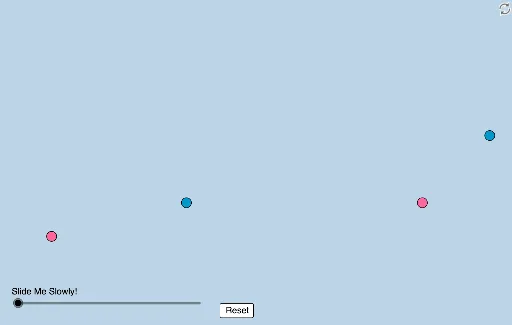
This example dynamically illustrates a geometric problem posted by Antonio Gutierrez, involving transformations and calculus concepts. It covers core math ideas like derivatives, real numbers, equilateral triangles, and indefinite integrals. The construction utilizes commands such as Polygon, Midpoint, Dilate, Segment, Rotate, Angle, Min, Circle, Intersect, CircleSector, Vector, Translate, and Line. Suitable for high school and above students to explore geometric transformations and calculus applications.
GeoGebra Commands & Parameters
Polygon(A, B, 4) → poly1, f, g, h, i, C, DPolygon(E, F, 4) → poly2, j, k, l, m, G, HMidpoint(A, E) → IMidpoint(B, F) → JMidpoint(C, G) → KMidpoint(D, H) → LDilate(A, If[0 < a ≤ 1, 1 - a, 0], D) → A'Dilate(E, If[0 < a ≤ 1, 1 - a, 0], H) → E'Segment(A, A') → nSegment(E, E') → pRotate(A, If[1 < a ≤ 2, ((a - 1) * π / 2), π / 2], D) → A'_1Rotate(A', If[1 < a ≤ 2, ((a - 1) * π / 2), π / 2], D) → A''Segment(A'_1, A'') → n'Rotate(E, If[1 < a ≤ 2, ((a - 1) * π / 2), π / 2], H) → E'_1Rotate(E', If[1 < a ≤ 2, ((a - 1) * π / 2), π / 2], H) → E''Segment(E'_1, E'') → p'Rotate(A'_1, If[2 < a ≤ 3, ((a - 2) * π / 2), π / 2], C) → MRotate(A'', If[2 < a ≤ 3, ((a - 2) * π / 2), π / 2], C) → A'''Segment(M, A''') → n''Rotate(E'_1, If[2 < a ≤ 3, ((a - 2) * π / 2), π / 2], G) → NRotate(E'', If[2 < a ≤ 3, ((a - 2) * π / 2), π / 2], G) → E'''Segment(N, E''') → p''Rotate(M, If[3 < a ≤ 4, ((a - 3) * π / 2), π / 2], B) → M'Rotate(A''', If[3 < a ≤ 4, ((a - 3) * π / 2), π / 2], B) → OSegment(M', O) → n'''Rotate(N, If[3 < a ≤ 4, ((a - 3) * π / 2), π / 2], F) → N'Rotate(E''', If[3 < a ≤ 4, ((a - 3) * π / 2), π / 2], F) → PSegment(N', P) → p'''Angle(A, D, C) → αAngle(D, C, B) → βAngle(B, A, D) → γAngle(H, G, F) → δAngle(G, F, E) → εAngle(F, E, H) → ζDilate(A, If[5 < a ≤ 6, 6 - a, 0], I) → A'_2Segment(A, A'_2) → qDilate(I, If[6 < a ≤ 7, 7 - a, 0], E) → I'Segment(I, I') → rRotate(A, If[7 < a ≤ 8, ((-(a - 7)) * π), (-π)], I) → A'_3Rotate(A'_2, If[7 < a ≤ 8, ((-(a - 7)) * π), (-π)], I) → QSegment(A'_3, Q) → q'Dilate(B, If[8 < a ≤ 9, 9 - a, 0], J) → B'Segment(B, B') → sDilate(J, If[9 < a ≤ 10, 10 - a, 0], F) → J'Segment(J, J') → tRotate(B, If[10 < a ≤ 11, ((-(a - 10)) * π), (-π)], J) → B'_1Rotate(B', If[10 < a ≤ 11, ((-(a - 10)) * π), (-π)], J) → B''Segment(B'_1, B'') → s'Dilate(C, If[11 < a ≤ 12, 12 - a, 0], K) → C'Segment(C, C') → bDilate(K, If[12 < a ≤ 13, 13 - a, 0], G) → K'Segment(K, K') → cRotate(C, If[13 < a ≤ 14, ((a - 13) * π), π], K) → C'_1Rotate(C', If[13 < a ≤ 14, ((a - 13) * π), π], K) → C''Segment(C'_1, C'') → b'Dilate(D, If[14 < a ≤ 15, 15 - a, 0], L) → D'Segment(D, D') → dDilate(L, If[15 < a ≤ 16, 16 - a, 0], H) → L'Segment(L, L') → eRotate(D, If[16 < a ≤ 17, ((a - 16) * π), π], L) → D'_1Rotate(D', If[16 < a ≤ 17, ((a - 16) * π), π], L) → D''Segment(D'_1, D'') → d'Dilate(I, If[18 < a ≤ 19, 19 - a, 0], J) → I'_1Segment(I, I'_1) → f_1Rotate(I, If[19 < a ≤ 20, ((a - 19) * π / 2), π / 2], I) → I'_2Rotate(I'_1, If[19 < a ≤ 20, ((a - 19) * π / 2), π / 2], I) → RSegment(I'_2, R) → g_1Rotate(I'_2, If[20 < a ≤ 21, ((a - 20) * π / 2), π / 2], L) → SRotate(R, If[20 < a ≤ 21, ((a - 20) * π / 2), π / 2], L) → R'Segment(S, R') → h_1Rotate(S, If[21 < a ≤ 22, ((a - 21) * π / 2), π / 2], K) → S'Rotate(R', If[21 < a ≤ 22, ((a - 21) * π / 2), π / 2], K) → R''Segment(S', R'') → i_1Polygon(I, J, K, L) → q1, i_2, j_1, k_1, l_1Min({Distance[A, B], Distance[I, J], Distance[E, F]}) → oCircle(B, (0.25 * o)) → c_1Segment(C, B) → m_1Intersect(c_1, m_1) → T,Rotate(T, If[22 < a ≤ 23, ((a - 22) * π / 2), π / 2], B) → T'CircleSector(B, T, T') → d_1Dilate(B, If[24 < a ≤ 25, 25 - a, 0], I) → B'_2Vector(B, B'_2) → uTranslate(d_1, u) → e_1Line(I, n'') → n_1Circle(I, 5) → p_1Intersect(p_1, n_1) → U, VAngle(J, I, U) → ηRotate(e_1, If[24 < a ≤ 25, ((a - 24) * ((2 * π) - η)), (2 * π) - η], B'_2) → q_1Angle(E, H, G) → θ
AI Drawing Prompt Reference
Create a dynamic geometric illustration showing transformations and calculus concepts. Begin with two squares, and perform a series of operations like dilation, rotation, and connecting midpoints to generate new shapes. Highlight the midpoints of the square sides, use them for dilation and rotation to create new points and segments, and finally rotate and connect these points to form a complex geometric pattern, demonstrating the application of transformations and calculus.
The prompt above was compiled from the original drawing commands and is for reference only.