
Dynamic Demonstration of 3 Squares
Loading the math board and drawing, please wait…
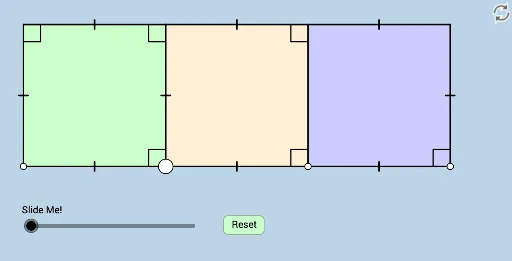
This example dynamically illustrates a geometric phenomenon occurring with three squares aligned in a row. It involves core math concepts like squares, transformations, vectors, and angles. Construction uses commands such as Polygon, Segment, Angle, Circle, Intersect, Dilate, Vector, Line, Rotate, and CircleSector. Suitable for high school mathematics education to understand geometric transformations and spatial relationships.
GeoGebra Commands & Parameters
Polygon(A, B, 4) → poly1, f, g, h, i, C, DPolygon(B, E, 4) → poly2, j, k, l, m, G, HPolygon(E, F, 4) → poly3, n, p, q, r, I, JSegment(A, B) → sSegment(B, C) → tSegment(C, D) → bSegment(D, A) → cSegment(C, G) → dSegment(G, E) → eSegment(E, B) → f_1Segment(G, I) → g_1Segment(I, F) → h_1Segment(F, E) → i_1Angle(C, B, A) → αAngle(D, C, B) → βAngle(A, D, C) → γAngle(C, G, E) → δAngle(G, E, B) → εAngle(I, F, E) → ζCircle(A, (0.25 * b)) → c_1Circle(B, (0.25 * b)) → d_1Circle(E, (0.25 * b)) → e_1Segment(E, I) → j_1Segment(B, I) → k_1Segment(A, I) → l_1Intersect(c_1, l_1, 1) → KIntersect(c_1, s, 1) → LIntersect(d_1, k_1, 1) → MIntersect(d_1, f_1, 1) → NIntersect(e_1, j_1, 1) → OIntersect(e_1, i_1, 1) → PIntersect(e_1, e, 1) → QDilate(A, If[0 < o ≤ 1, 1 - o, 0], I) → A'Segment(A, A') → m_1Dilate(I, If[1 < o ≤ 2, 2 - o, 0], B) → I'Dilate(E, If[2 < o ≤ 3, 3 - o, 0], I) → E'Dilate(B, If[6 < o ≤ 7, 7 - o, 0], E) → B'Vector(B, B') → uAngle(L, A, K) → ιDilate(A, If[8 < o ≤ 9, 9 - o, 0], E) → A'_1Vector(A, A'_1) → vLine(U, S) → n_1Intersect(n_1, m_1) → VLine(T, V) → p_1Intersect(p_1, d) → WSegment(V, W) → q_1Circle(V, (0.43 * q_1)) → r_1Dilate(U, If[1 < o ≤ 2, 2 - o, 0], S) → U'Segment(U, U') → s_1Line(A, Z) → t_1Intersect(r_1, t_1) → A_1, B_1Intersect(r_1, p_1) → C_1, D_1Dilate(T, If[2 < o ≤ 3, 3 - o, 0], W) → T'Segment(T, T') → a_1Rotate(C_1, If[3 < o ≤ 4, ((-(o - 3)) * π / 2), ((-π)) / 2], V) → E_1CircleSector(V, E_1, C_1) → c_2Rotate(c_2, If[5 < o ≤ 6, ((-(o - 5)) * π / 2), ((-π)) / 2], V) → d_2Rotate(C_1, If[6 < o ≤ 7, ((o - 6) * π / 4), π / 4], V) → F_1CircleSector(V, C_1, F_1) → e_2Rotate(e_2, If[7.5 < o ≤ 8.5, ((o - 7.5) * π / 4), π / 4], V) → f_2
AI Drawing Prompt Reference
Draw three squares in a row to demonstrate geometric relationships and transformations. First, draw three squares and connect their sides to form closed shapes. Then, draw circles with the square sides as radii and find their intersections with the square sides. Using these intersection points, create new squares through scaling and rotation, and draw lines connecting them. Finally, draw a circle centered at one of the intersection points to show the effect of geometric transformations.
The prompt above was compiled from the original drawing commands and is for reference only.