
Draw Lines of Symmetry: Regular Pentagon
Loading the math board and drawing, please wait…
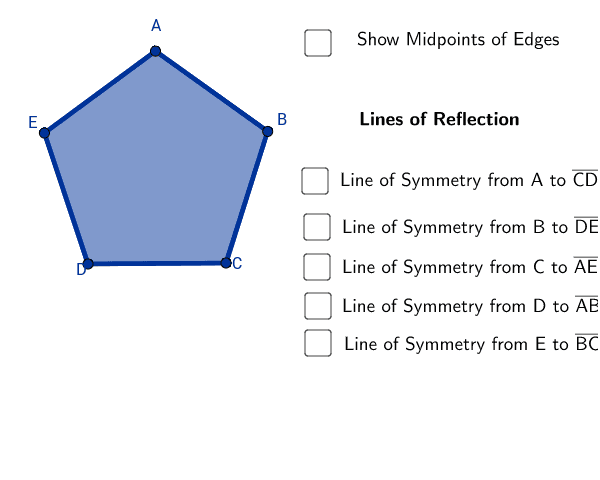
This GeoGebra example guides learners through drawing the lines of symmetry of a regular pentagon. It demonstrates the concept of axial symmetry in regular polygons and helps visualize how symmetry axes divide the shape into congruent parts. Core mathematical concepts include symmetry, regular polygons, and geometric properties. The construction uses GeoGebra commands such as Polygon, OrthogonalLine, Intersect, and Segment to create the pentagon and its symmetry axes step by step. The resource is suitable for middle school and high school geometry classes, supporting the development of spatial reasoning and symmetry understanding.
GeoGebra Commands & Parameters
Polygon(D, C, 5) → poly1, a, b, c, d, e, B, A, EOrthogonalLine(A, a) → fOrthogonalLine(E, b) → gOrthogonalLine(B, e) → hOrthogonalLine(D, c) → iOrthogonalLine(C, d) → jIntersect(j, d) → FIntersect(f, a) → GIntersect(g, b) → HIntersect(i, c) → IIntersect(h, e) → JSegment(A, G) → kSegment(I, D) → lSegment(B, J) → mSegment(C, F) → nSegment(E, H) → p
AI Drawing Prompt Reference
Draw a regular pentagon and its five lines of symmetry. First, create a regular pentagon using points A, B, C, D, and E. Then, draw perpendicular lines from A, E, B, and D to the sides of the pentagon. The intersection points of these lines are the endpoints of the symmetry axes, and connecting these points will give you the five symmetry axes.
The prompt above was compiled from the original drawing commands and is for reference only.