
Distributive Property (Open Middle Theme): Factorization via Polygons
Loading the math board and drawing, please wait…
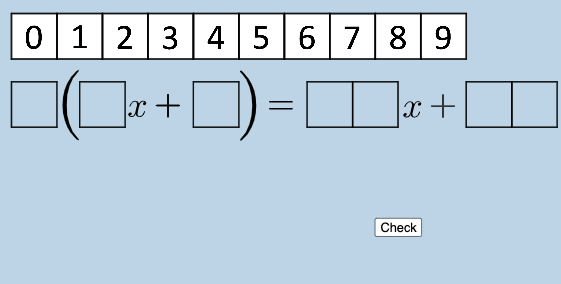
This example visualizes the distributive property using an “open middle” style arrangement, where geometric partitions correspond to algebraic expansion and recombination. It centers on key ideas such as the distributive law, algebraic terms, and factorization (how expressions can be decomposed into equivalent products/sums). The construction uses GeoGebra commands and dynamic elements to build and present these relationships: Polygon to create the main polygonal shapes; FractionText to display fraction-based expressions; RandomElement together with Sequence to generate varying parameters or term structures; Factors to compute and relate factored forms; If to switch between cases; and Textfield for user-visible inputs/labels. The scene comprises many constructed points and intermediate objects (e.g., numbered A/H/C variants and additional named objects) as well as multiple polygon objects (e.g., poly0/poly3/poly7) that represent different parts of the partition, making the distributive behavior visually traceable. Suitable for middle to high school learners and classroom demonstrations connecting algebraic identities to geometric intuition.
GeoGebra Commands & Parameters
Polygon(A0, B, 4) → poly0, f, g, h, i, A, CPolygon(A3, H, 4) → poly3, j, k, l, m, E, GPolygon(A7, P, 4) → poly7, n, p, q, r, I, KPolygon(A1, D, 4) → poly1, s, t, a, b, M, OPolygon(A6, N, 4) → poly6, c, d, e, f_1, Q, SPolygon(A2, H2, 4) → poly2, k_1, l_1, m_1, n_1, W, ZPolygon(A8, A8 + (2, 0), 4) → poly8, g_1, h_1, i_1, j_1, U, VPolygon(A9, T, 4) → poly9, p_1, q_1, r_1, s_1, A_1, B_1Polygon(A4, J, 4) → poly4, t_1, a_1, b_1, c_1, C_1, D_1Polygon(A5, L, 4) → poly5, d_1, e_1, f_2, g_2, E_1, F_1Polygon(K_1, L_1, 4) → poly10, l_2, m_2, n_2, p_2, M_1, N_1Polygon(O_1, P_1, 4) → poly12, q_2, r_2, s_2, t_2, Q_1, R_1Polygon(S_1, T_1, 4) → poly13, a_2, b_2, c_2, d_2, U_1, V_1Polygon(C_2, D_2, 4) → poly15, i_3, j_3, k_3, l_3, E_2, F_2Polygon(G_2, H_2, 4) → poly16, m_3, n_3, p_3, q_3, I_2, J_2Polygon(G_{3}, H_{3}, 4) → poly17, m_{4}, n_{4}, p_{4}, q_{4}, I_{3}, J_{3}Polygon(C_{3}, D_{3}, 4) → poly14, i_{4}, j_{4}, k_{4}, l_{4}, E_{3}, F_{3}FractionText(u) → text4If(aleft > aright, "Left side is bigger.", aleft < aright, "Right side is bigger", "Both sides are equal!") → text9Textfield(w) → InputBox1If(o_1 < 0, "less than", o_1 > 0, "greater than", o_1 ≟ 0, "equal to") → text12RandomElement(l1) → oFactors(o) → m1RandomElement(m1) → l2, {2, 4}RandomElement(l2) → w_1Sequence((w_1 * i), i, 2, 12, 1) → l3RandomElement(l3) → e_2Sequence((o * i), i, 2, 12, 1) → l4RandomElement(l4) → i_2
AI Drawing Prompt Reference
Draw a figure composed of multiple quadrilaterals, each containing a fraction expression. Use the polygon tool to create several quadrilaterals like poly0, poly3, poly7, etc., with each quadrilateral displaying a fraction expression. Randomly generate and compute expressions within the quadrilaterals to demonstrate the distributive law in geometric terms.
The prompt above was compiled from the original drawing commands and is for reference only.