
Directional Derivative Demo by Gary Church
Loading the math board and drawing, please wait…
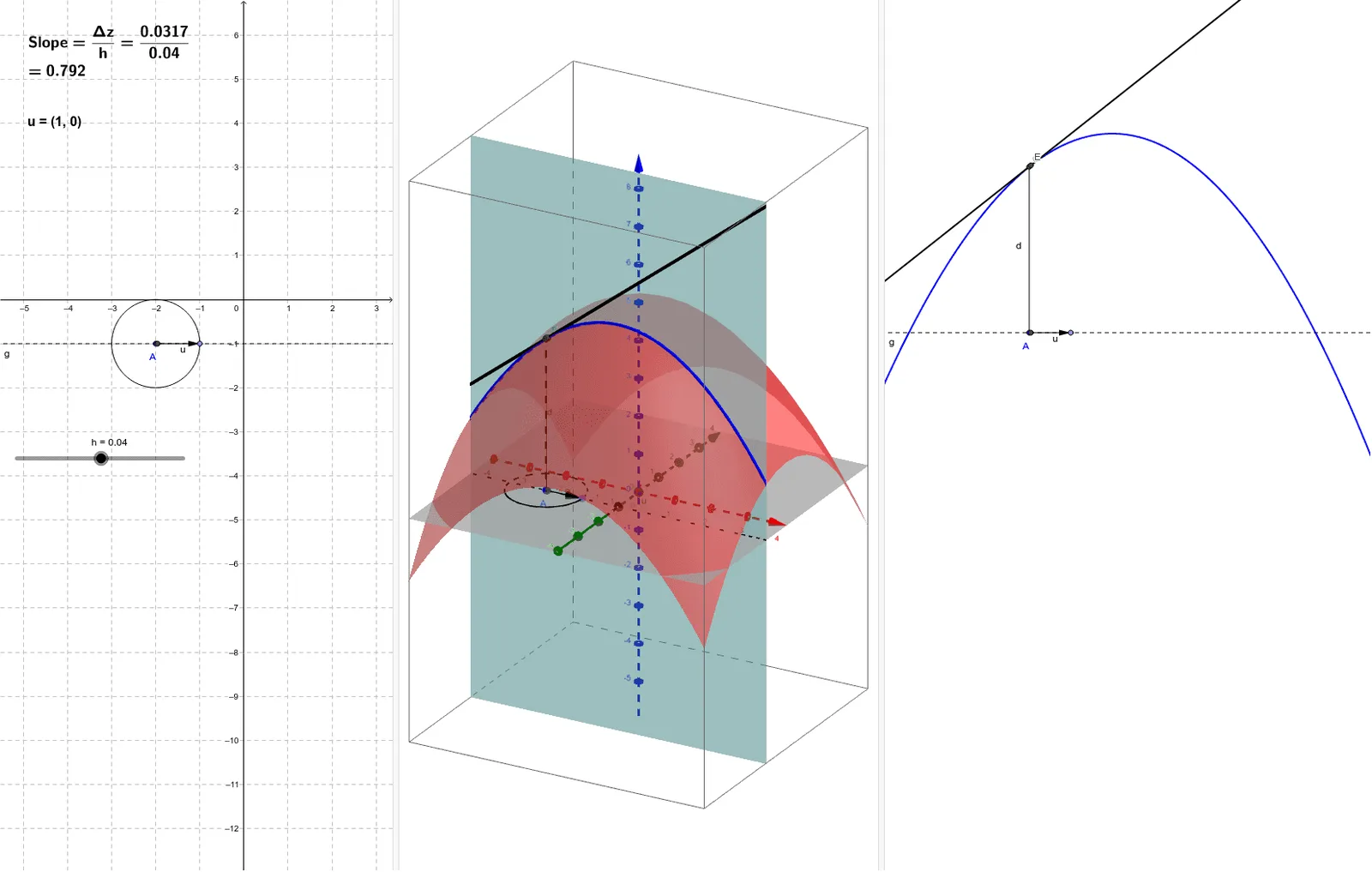
This example demonstrates the concept of the directional derivative for a function of two variables, visually showing the calculation and significance of directional derivatives. Key math concepts include directional derivatives, gradients, vectors, planes, and straight lines. It is constructed using GeoGebra commands/objects like Circle, Point, Vector, Plane, Line, Segment, and CurveCartesian. Suitable for university-level mathematics and calculus courses to help students intuitively understand the geometric meaning and applications of directional derivatives.
GeoGebra Commands & Parameters
Circle(A, 1) → cPoint(c) → BVector(A, B) → uVector(A, A + (h * u)) → vPlane(A, B, C) → aLine(C, E) → bSegment(C, A) → dLine(A, B) → gCurveCartesian(x(A) + (x(u) * t), y(A) + (y(u) * t), f(x(A) + (x(u) * t), y(A) + (y(u) * t)), t, -10, 10) → e
AI Drawing Prompt Reference
Draw a demonstration of the directional derivative for a two-variable function, including a circle and a point on it, a vector from the center of the circle to the point, and based on these, gradient vectors, directional vectors, planes, and lines. Show a segment from the center along the directional vector, and a plane and a line containing this segment. Finally, draw a curve that changes along the directional vector, showing the variation of the function's value.
The prompt above was compiled from the original drawing commands and is for reference only.