
Gradient
Loading the math board and drawing, please wait…
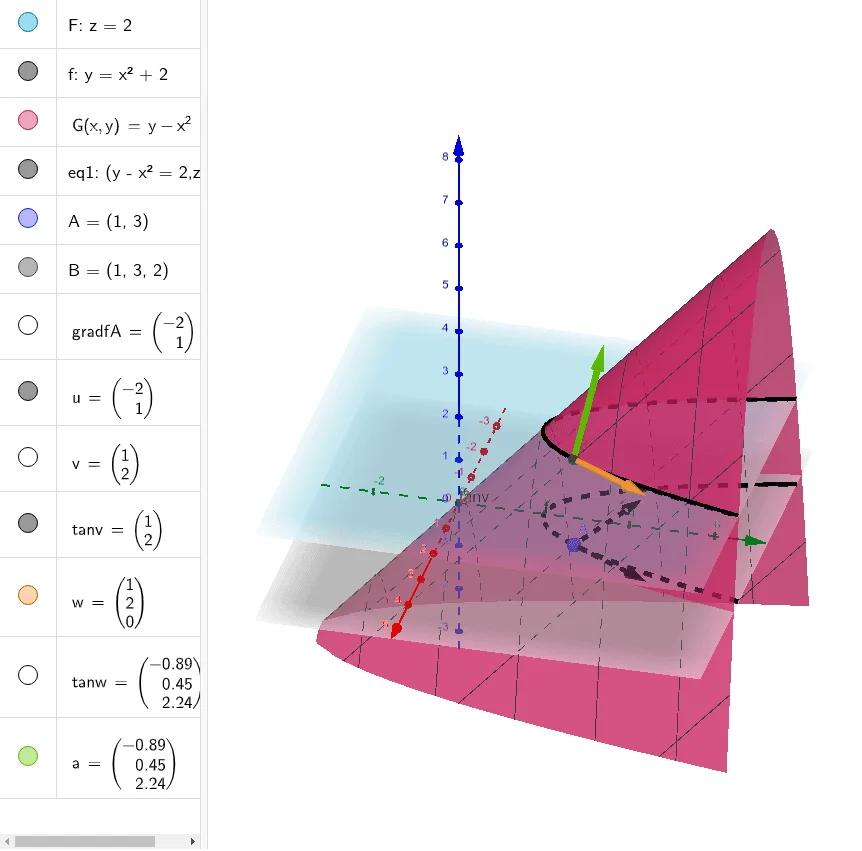
This example illustrates the concept of gradient. It involves the concept of derivatives in calculus, demonstrating the gradient through the intersection of paths and vectors. Commands used include IntersectPath and Vector. Suitable for high school and above students learning calculus.
GeoGebra Commands & Parameters
IntersectPath(F, G) → eq1IntersectPath(F, xOyPlane) →IntersectPath(F, xOyPlane) →Vector((-2, 1)) → gradfAVector(A, A + gradfA) → uVector((1, 2)) → vVector(A, A + v) → tanvVector(B, B + tanv) → wVector(B, B + tanw) → a
AI Drawing Prompt Reference
Draw a 3D surface with its intersection curves with the horizontal coordinate plane. Pick a point on the surface and draw a gradient vector from it, indicating the direction of steepest ascent. From the same point, draw another vector and translate it along the surface to form a path intersecting the gradient. Then choose another point on the surface and repeat: draw a vector from it, translate it along the surface twice, producing two consecutive vector segments. The whole figure should show the surface, intersection curves, multiple vectors and their translated paths, emphasizing the geometric relationship between vectors and the surface.
The prompt above was compiled from the original drawing commands and is for reference only.