
Dinosaur Angle Hunt 2
Loading the math board and drawing, please wait…
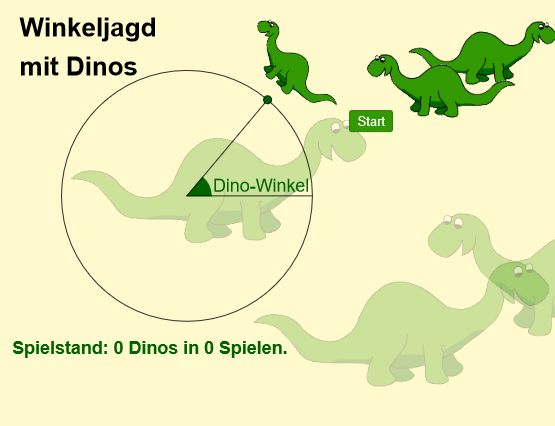
This example uses rotation and angle measurement in a game environment to practice angle knowledge. Key math concepts include angles and geometry. It utilizes GeoGebra commands such as Circle, Rotate, and Angle. Suitable for middle school and above students for geometric construction and angle measurement practice.
GeoGebra Commands & Parameters
Circle(M, r_I) → Kreis_IRotate(A, α, M) → BIf(abs(α / 2 - β / 2) ≤ 90°, (α + β) / 2, (α + β) / 2 - 180°) → γCircle(M, r_A) → Kreis_ARotate(A', α, M) → MitteSegment(M, B) → Schenkel2Segment(A, M) → Schenkel1Rotate(A', α, M) → Dino_{aktuell}Circle(Mitte, 1.8) → DinokreisTangent(Mitte, Kreis_A) → Tangente,Intersect(Dinokreis, Tangente) → Dinoanfang, DinoendeMin(round(abs(α - β)), round(abs(abs(α - β) - 360°))) → δTextfield(β) → WinkeleingabeAngle(A, M, B) → DinowinkelLine(Dino1, xAxis) → DinoRotate(Hilf_0, α / 2, M) → Hilf_1
AI Drawing Prompt Reference
Draw a dinosaur angle hunting game scene. Start with a fixed center point and two concentric circles, a smaller inner circle and a larger outer circle. From the center, draw one ray as the initial side and another ray whose angle is controlled by a slider. Show an angle arc between the two rays with its measure labeled. Place a rotatable dinosaur icon on the outer circle, whose position changes with the angle. Add an input field for the target angle, and display the difference between the current and target angles as a hint. The scene includes circles, rays, an angle arc, a dinosaur icon, and an input box for practicing angle measurement and rotation.
The prompt above was compiled from the original drawing commands and is for reference only.