
Dynamic 3D Vector Projection Demonstration
Loading the math board and drawing, please wait…
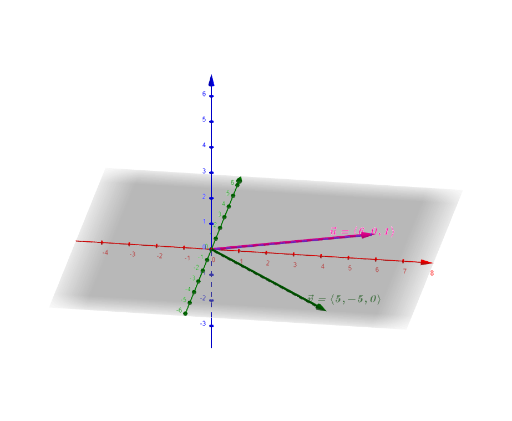
① This GeoGebra example dynamically demonstrates the projection of vector u onto vector v in three-dimensional space, visually showing the construction and length of the projected vector w. ② Core mathematical concepts include vector projection, dot product, vector length, cosine of the angle between vectors, and spatial relationships in 3D. ③ Construction highlights: uses Vector command to create vectors u and v, Length command to measure magnitudes, Segment command to construct the projection segment, Angle command to label the angle α; interactive buttons button1 and button2 control dynamic changes, with text boxes text1-text4 displaying numerical values; objects include points A, B, C and auxiliary vectors a, b, c, d, e, f, h, i, j, enabling exploratory learning. ④ Suitable for high school to early college students learning vector algebra and 3D geometry, and for teachers to demonstrate or students to investigate the projection formula interactively.
GeoGebra Commands & Parameters
Vector((6, 0, 1)) → uVector((5, -5, 0)) → vLength(v) → aVector((3, -3, 0), (6, 0, 1)) → bSegment((0, 0, 0), C) → gSegment(A, B) → fVector(A, B) → hSegment((0, 0, 0), (5, -5, 0)) → iAngle(f, i) → α
AI Drawing Prompt Reference
Draw two vectors u and v in 3D space and show their projection vector w. Use length to measure vector magnitudes, segment to construct projection segments, and angle to label the projection angle α. Add points A, B, C and auxiliary vectors a, b, c, d, e, f, h, i, j to explore vector projection formulas and spatial relationships.
The prompt above was compiled from the original drawing commands and is for reference only.