
Parametric Surface of a Solid of Revolution (Area Focus)
Loading the math board and drawing, please wait…
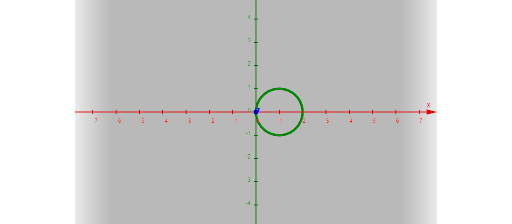
This GeoGebra example demonstrates how a Cartesian curve, when rotated around a coordinate axis, generates a 3D solid-of-revolution surface. By adjusting parameters via input fields, learners can visually explore how the resulting surface geometry changes and connect this with area/volume-of-revolution thinking. Key math concepts include parametric equations (parametric surface construction), solids of revolution, and the geometric correspondence between a planar curve and the 3D surface it sweeps out. Construction highlights: CurveCartesian is used to define the base curve; Textfield and multiple InputBox controls parameter values (e.g., coefficients and rotation-related parameters); Surface then renders the generated parametric surface based on the input functions and parameters; several intermediate objects (like c, f, g, d, e, a, k, l, j, b) organize the relationships between the curve, functions, and the final surface, while on-screen labels (text1–text4) provide readable annotations. Suitable for high school to early university audiences for interactive geometry visualization, especially when preparing for calculus topics involving revolution surfaces and area/volume interpretations.
GeoGebra Commands & Parameters
CurveCartesian(f(t), g(t), t, e, d) → aTextfield(f) → InputBox1Textfield(g) → InputBox2Textfield(e) → InputBox3Textfield(d) → InputBox4Surface(a, c, xAxis) → jSurface(a, c, yAxis) → b
AI Drawing Prompt Reference
Create a 3D solid of revolution by rotating a parametric plane curve around coordinate axes. Start with a Cartesian curve defined by two adjustable functions for x and y, with a parameter interval controlled by lower and upper bounds. Then rotate this curve around the x-axis to generate one surface, and around the y-axis to generate another surface. Include four input fields to modify the curve functions and parameter limits, along with text labels annotating the components. The visualization should clearly show how the planar curve sweeps out the 3D surfaces, helping to explore area and volume relationships.
The prompt above was compiled from the original drawing commands and is for reference only.