
Dilation Exploration by Edward Knote
Loading the math board and drawing, please wait…
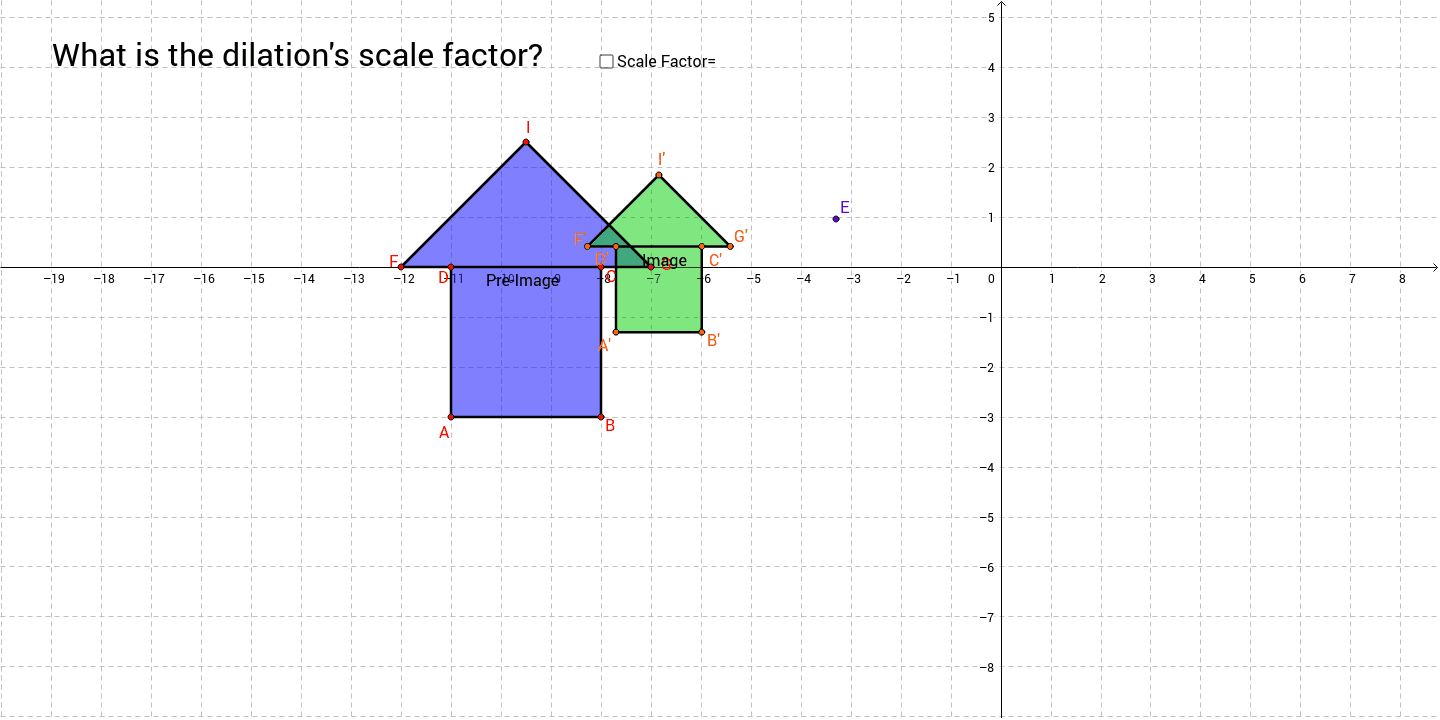
This example demonstrates the transformation of shapes under dilation with varying scale factors. It involves core mathematical concepts like scale factors, similar figures, and geometric transformations. Constructed using commands such as OrthogonalLine, Point, Polygon, Random, Line, LineBisector, Intersect, Circle, Segment, Dilate, and Midpoint. Suitable for high school students learning about geometric transformations and similarity.
GeoGebra Commands & Parameters
OrthogonalLine(A, yAxis) → lPoint(l) → BPolygon(A, B, 4) → poly1, a, b, c, d, C, DRandom(1, 10) → A2Random(1, 10) → A1Line(D, C) → eLineBisector(c) → fIntersect(e, f) → HCircle(H, G) → gIntersect(g, f, 1) → IPolygon(A, B, C, G, I, F, D) → poly2, a_1, b_1, c_1, g_1, i, f_1, d_1Segment(D, C) → hDilate(A, A3, E) → A'Dilate(B, A3, E) → B'Dilate(C, A3, E) → C'Dilate(G, A3, E) → G'Dilate(I, A3, E) → I'Dilate(F, A3, E) → F'Dilate(D, A3, E) → D'Polygon(A', B', C', G', I', F', D') → poly2', a', b', c', g', i', f', d'Segment(D', C') → jMidpoint(j) → J
AI Drawing Prompt Reference
Draw a quadrilateral ABCD, then randomly choose points A2 and A1 as the centers of dilation, and perform a dilation transformation on quadrilateral ABCD with A2 and A1 as the centers. Generate a new quadrilateral A'B'C'D'. Next, find the midpoint J of CD, and finally add a circle with center J.
The prompt above was compiled from the original drawing commands and is for reference only.