
Diagonals of an Icosahedron
Loading the math board and drawing, please wait…
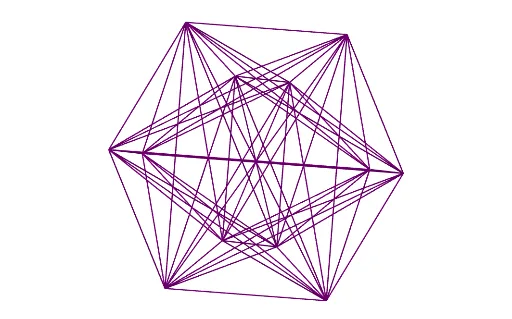
This example demonstrates the diagonals of an icosahedron. It involves the symmetry and geometric construction of polygons. Using commands like Rotate, Point, and Icosahedron, various faces and edges of the icosahedron can be constructed. Suitable for high school geometry and solid geometry courses.
GeoGebra Commands & Parameters
Rotate(A, (2 * π / 3), zAxis) → BPoint(Circle[Midpoint[A, B], (Distance[A, B] * sqrt(3) / 2), Segment[A, B]]) → CIcosahedron(A, B, C) → a, D, faceABC, faceACF, faceAFG, faceADG, faceABD, faceBDH, faceBEH, faceBCE, faceCEI, faceCFI, E, faceEHK, faceEIK, faceIKL, faceFIL, faceHJK, faceJKL, faceGJL, faceFGL, faceDHJ, faceDGJ, F, edgeAC, edgeAB, edgeBC, edgeAF, edgeCF, edgeAG, edgeFG, edgeAD, edgeDG, edgeBD, G, edgeBH, edgeDH, edgeBE, edgeEH, edgeCE, edgeCI, edgeEI, edgeFI, edgeEK, edgeHK, H, edgeIK, edgeIL, edgeKL, edgeFL, edgeJK, edgeHJ, edgeJL, edgeGL, edgeGJ, edgeDJ, I, J, K, LSequence(Sequence[Segment[l1(a), l1(b)], a, 1, Length[l1]], b, 1, Length[l1]) → l2RemoveUndefined(Flatten[l2]) → l3
AI Drawing Prompt Reference
Draw the diagonals of an icosahedron, showcasing its symmetry and geometric construction with multiple polygonal faces and edges, start by constructing three vertices, rotate one around the center to create a new vertex, then connect the vertices to form the faces and edges of the icosahedron, finally connect all vertices with lines to form the complete network of diagonals.
The prompt above was compiled from the original drawing commands and is for reference only.