
Derivatives: Calculation and Concept
Loading the math board and drawing, please wait…
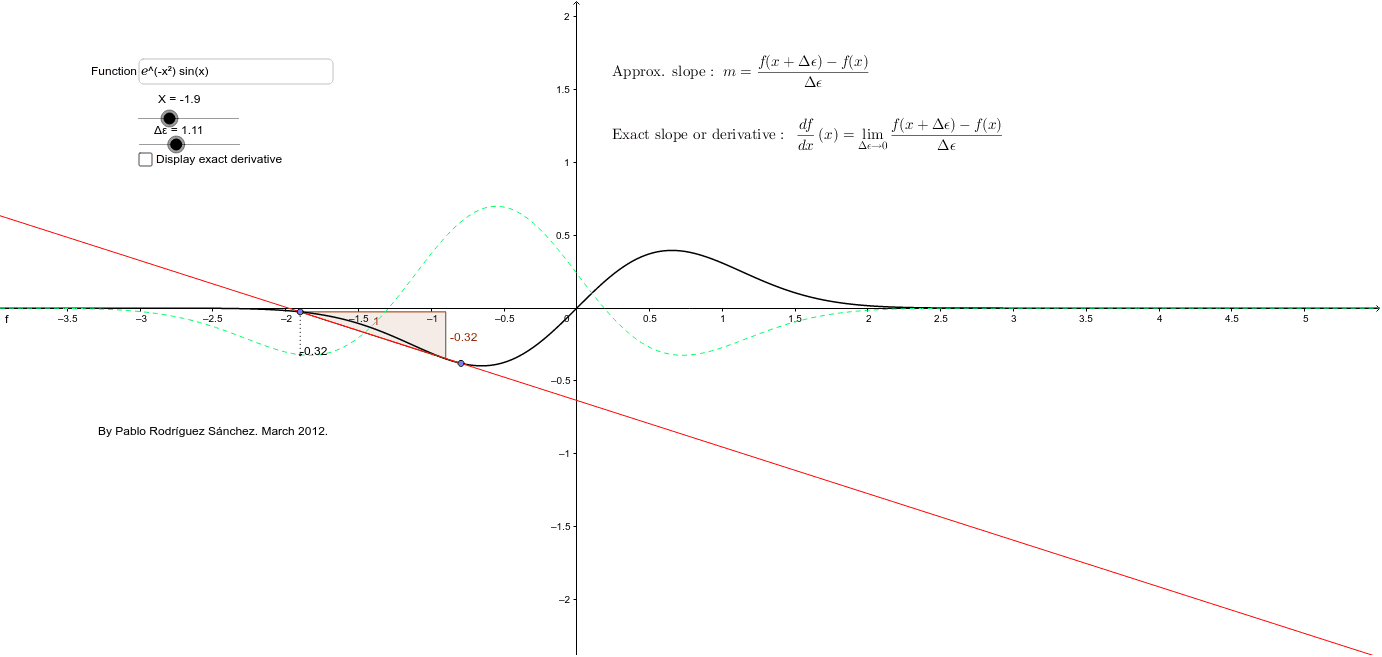
This applet demonstrates how to calculate the exact derivative of a given function and shows the concept of a derivative as the best of successive approximations. Using GeoGebra commands such as Line, Slope, If, Segment, etc., users can intuitively understand the geometric meaning of derivatives. Suitable for high school and above students learning the concept of derivatives in calculus.
GeoGebra Commands & Parameters
Line(A, B) → aSlope(a) → mIf(Δε ≟ 0, f', (f(x + Δε) - f(x)) / Δε) → pSegment(A, C) → hTextfield(f) → campoDeTexto1
AI Drawing Prompt Reference
Draw the graph of a function f(x), and then draw a line a passing through points A and B. Calculate the slope m of line a. Next, use Δε as the increment of the independent variable to calculate the derivative p of function f at point x. Finally, draw a line segment h between points A and C to illustrate the concept of a derivative.
The prompt above was compiled from the original drawing commands and is for reference only.