
Cylinder Inscribed Inside Sphere: Calculus Optimization
Loading the math board and drawing, please wait…
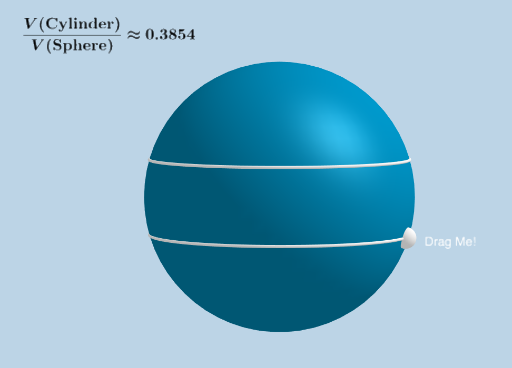
This example demonstrates how to inscribe a cylinder inside a sphere and calculate its maximum volume. Key math concepts include calculus optimization, solid geometry volume calculation, and derivative application. GeoGebra commands/objects used are Sphere, CurveCartesian, Point, Midpoint, Circle, Cone, Segment, Angle, Vector, Line, Intersect, Translate, Distance, Cylinder, Volume. Suitable for high school students and above learning calculus optimization and solid geometry volume calculation, or for math competition training.
GeoGebra Commands & Parameters
Sphere((0, 0, 0), (3, 0, 0)) → aCurveCartesian(f(t), 0, g(t), t, ((-π)) / 2, π / 2) → bPoint(b) → EMidpoint(E, F) → HCircle(F, G, E) → hCone(h, Distance[H, A]) → i, k, jSegment(H, E) → lSegment(D, H) → mSegment(D, A) → pAngle(E, H, A) → βSegment(A, H) → nSegment(H, D) → qVector(E, E + (0, 0, 1)) → uLine(E, u) → rIntersect(r, a) → I, JVector(E, J) → vTranslate(hh, v) → hh'Distance(E, J) → sCylinder(hh, s) → t, c_1, wTranslate(H, v) → H'Segment(H, H') → f_1Volume(a) → a_1Segment(H', J) → g_1Angle(H, H', J) → γ