
Cylinder and Rectangular Prism Construction
Loading the math board and drawing, please wait…
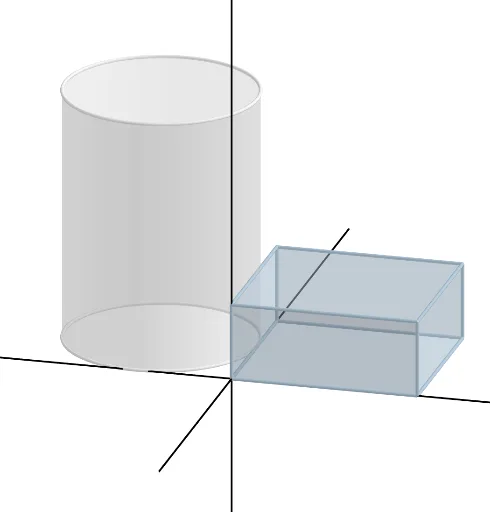
This example demonstrates the construction of a cylinder and a rectangular prism. Key mathematical concepts include basic solid geometry shapes and construction methods. Using GeoGebra commands such as Polygon, Prism, Circle, and Cylinder, the structure of these solid figures is visually illustrated. Suitable for middle school and above students or teachers for teaching or self-study.
GeoGebra Commands & Parameters
Polygon(A, B, C, D) → q1, a_1, b, c, dPrism(q1, (3.6 * a)) → e, E, edgeAE, edgeBF, edgeCG, edgeDH, edgeEF, edgeFG, edgeGH, edgeEH, F, G, H, faceABFE, faceBCGF, faceCDHG, faceADHE, faceEFGHCircle(I, (4.55 * a), z = 0) → fCylinder(f, (12 * a)) → g, h, iLine((0, 0, 0), (1, 0, 0)) → jLine((0, 0, 0), (0, 1, 0)) → kLine((0, 0, 0), (0, 0, 1)) → l
AI Drawing Prompt Reference
Create a 3D solid geometry scene featuring a rectangular prism and a cylinder. Start by drawing a rectangular base using four corner points, then extrude it upward to form the prism, showing all edges and faces. Next, place a circle on the horizontal plane centered at a given point, and extrude it vertically to create the cylinder. Finally, add three reference axes from the origin along the x, y, and z directions to indicate spatial orientation. The overall layout should clearly illustrate the construction of these solid shapes.
The prompt above was compiled from the original drawing commands and is for reference only.