
Cube Exploration Template
Loading the math board and drawing, please wait…
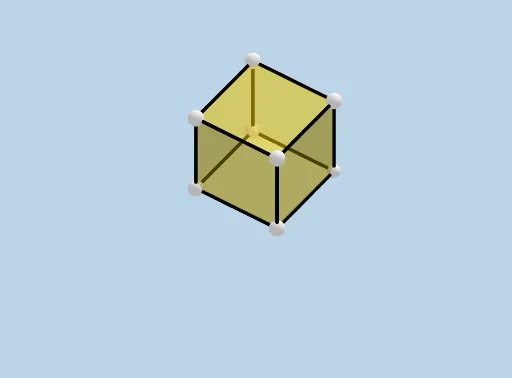
This example demonstrates the net of a cube and its spatial reconstruction, involving core math concepts like solid geometry, polygon assembly, and spatial visualization. It uses GeoGebra commands such as Intersect, Point, Cube, and Net to construct geometric objects, making it suitable for high school geometry education or exploration by enthusiasts.
GeoGebra Commands & Parameters
Intersect(zAxis, xAxis) → APoint(xAxis) → BPoint(Circle[B, Distance[A, B], Segment[A, B]]) → CCube(A, B, C) → a, D, faceCDHG, faceEFGH, edgeAD, edgeAB, edgeBC, edgeCD, edgeAE, edgeDH, edgeEH, edgeEF, E, edgeBF, edgeFG, edgeCG, edgeGH, F, G, H, faceABCD, faceADHE, faceABFE, faceBCGFNet(a, CreateNet) → c, I, R, S, T, U, V, faceIJKL, faceILNM, faceIJRQ, faceJKTS, faceKLVU, J, faceMNOP, edgeIL, edgeIJ, edgeJK, edgeKL, edgeLN, edgeMN, edgeIM, edgeIQ, edgeQR, K, edgeJR, edgeJS, edgeST, edgeKT, edgeKU, edgeUV, edgeLV, edgeNO, edgeOP, edgeMP, L, M, N, O, P, Q
AI Drawing Prompt Reference
Draw the net of a cube and its spatial reconstruction. Start by plotting the coordinate axes, finding their intersection point and a point on one axis. Then, draw a circle centered at the point on the axis with the intersection point as the center, and mark a point on the circle. Next, construct the cube using these three points as vertices, and generate its net. Display the faces of the cube and the parts of the net, showing their corresponding relationships to help understand the cube's spatial structure and how it unfolds.
The prompt above was compiled from the original drawing commands and is for reference only.