
Cube Cross Sections Exploration
Loading the math board and drawing, please wait…
In collections
Cross Sections
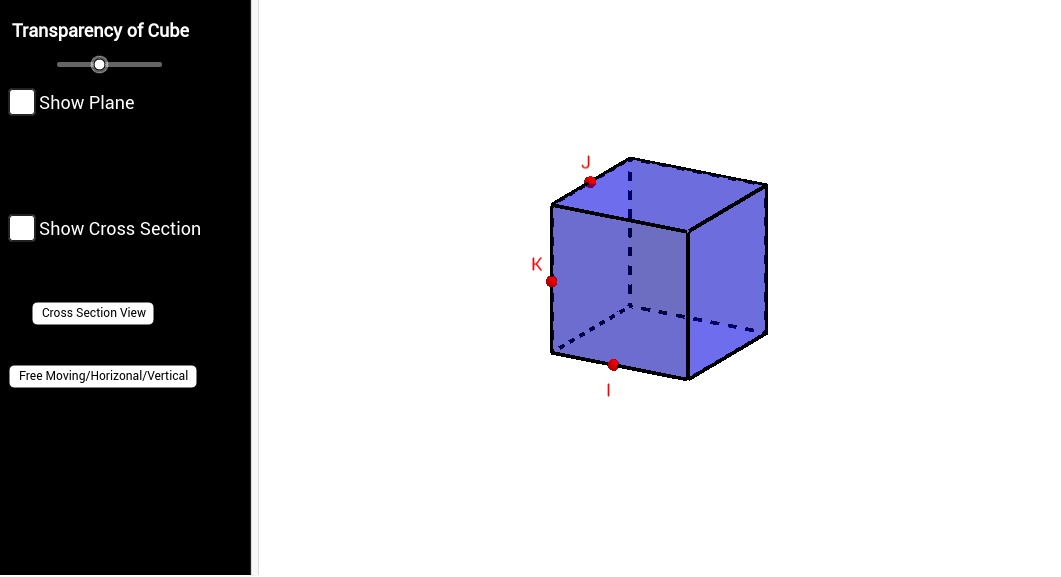
This example demonstrates the investigation of cross sections created by slicing a plane through a cube. It involves core math concepts like solid geometry, polygons, parallelograms, and triangles. Constructed using GeoGebra commands such as Cube, Point, Intersect, If, and IntersectPath, it helps high school students or geometry enthusiasts understand the properties of 3D shape cross-sections.
GeoGebra Commands & Parameters
Cube((-2, -2, 0), (2, -2, 0), xOyPlane) → a, A, face4, faceABFE, faceCDEF, edge2, edge1, edge4, edgeAB, edge3, edgeBF, edgeCF, B, edgeCD, edge5, edgeDE, edgeAE, edgeEF, C, D, E, F, face1, face3, face2Point(list1) → KPoint(list2) → IPoint(list3) → JIntersect(edge1, edge3) → GIntersect(edge5, edge1) → HIf(q ≟ 0, Plane[I, K, J], If[q ≟ 1, Plane[R, S, T], Plane[U, V, W]]) → eIntersectPath(e, a) → poly1, L, i, j, k, M, N, O, P, Q, f, g, h
AI Drawing Prompt Reference
Draw a cube and select three points inside it. Connect each point to three different vertices of the cube to form three planes. Generate three cross-sections based on the positions of the points relative to the cube's vertices, which may be triangles, parallelograms, or hexagons, demonstrating the shapes of the sections created by slicing the cube with different planes.
The prompt above was compiled from the original drawing commands and is for reference only.