
Cross Sections of a Rotating Cylinder
Loading the math board and drawing, please wait…
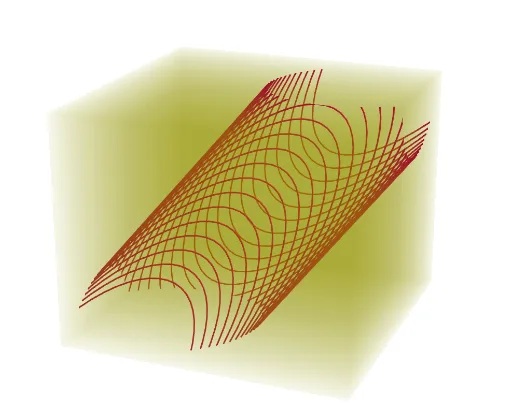
This example demonstrates the changing cross-sections of a rotating cylinder. Key mathematical concepts include the properties of cross-sections in solid geometry. Using GeoGebra commands Cylinder, Rotate, and Sequence, the dynamic display of the cylinder's cross-sections at different rotation angles is shown. Suitable for students in middle school and above learning solid geometry.
GeoGebra Commands & Parameters
Cylinder(B, A, 3) → a, c, d, bRotate(a, n, xAxis) → a'Sequence(IntersectPath[y + (0 * z) = w, a'], w, -6, 6, 0.25) → l1Sequence(Polygon[(-6, w, -6), (6, w, -6), (6, w, 6), (-6, w, 6)], w, -6, 6, 0.25) → l2
AI Drawing Prompt Reference
Draw a rotating cylinder and show its changing cross-sections at different rotation angles. First, create a cylinder with a base radius of 3. Then, rotate the cylinder around the x-axis. Finally, generate a series of cross-sections ranging from -6 to 6, evenly spaced, with each cross-section represented by a quadrilateral to illustrate the shape changes.
The prompt above was compiled from the original drawing commands and is for reference only.