
Creating Surfaces of Revolution Warm Up (2)
Loading the math board and drawing, please wait…
In collections
Congruence (Vol 1)
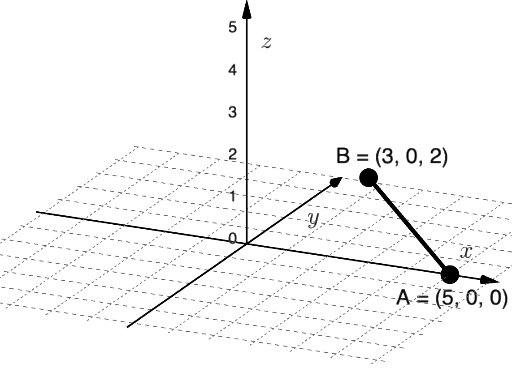
This example demonstrates how to generate 3D surfaces by rotating 2D shapes, such as cones, cylinders, and pyramids. Key math concepts include rotation, surfaces, and solid geometry. Construction highlights the use of GeoGebra commands like PointIn, Segment, and Surface, along with objects like points B and A, function f, parameter n, and length a, visualizing the rotation process with sliders. Suitable for high school and above students to explore surface generation and 3D properties.
GeoGebra Commands & Parameters
PointIn(Plane[(0, 0, 0), (1, 0, 0), (1, 0, 1)]) → BPointIn(Plane[(0, 0, 0), (1, 0, 0), (1, 0, 1)]) → ASegment(A, B) → fSurface(f, n, zAxis) → a
AI Drawing Prompt Reference
Create a 3D surface generated by rotating a 2D shape. Start by choosing a plane to hold a contour, then place two points on that plane and connect them with a line segment to serve as the profile. Rotate this segment around the vertical (z) axis to form the surface of revolution. Use a rotation parameter n to control how the surface is sampled or segmented, and a length scale a to size the construction, emphasizing the rotation-to-surface relationship and solid geometry.
The prompt above was compiled from the original drawing commands and is for reference only.