
Creating Nets of the Cube
Loading the math board and drawing, please wait…
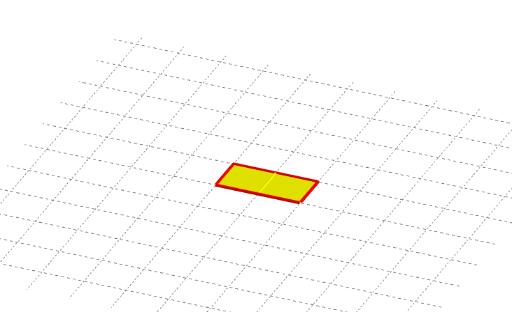
This example demonstrates how to create a net of a cube using GeoGebra. It involves core mathematical concepts such as solid geometry, polygon construction, and geometric transformations. Key construction steps include using commands like Polygon, Rotate, Vector, Midpoint, OrthogonalLine, Plane, Mirror, and Segment. Suitable for middle school students and above learning solid geometry and geometric construction.
GeoGebra Commands & Parameters
Polygon(A, B, C, D) → poly1, a, b, c, dRotate(Polygon[B, E, F, C], (-α), b) → poly2Rotate(C, (-α), b) → C'Rotate(F, (-α), b) → F'Rotate(E, (-α), b) → E'Rotate(F, (-α), b) → F'_1Rotate(B, (-α), b) → B'Rotate(E, (-α), b) → E'_1Vector(C, Rotate[F, 90°, C]) → uRotate(Polygon[A, B, B - u, A - u], (-α), a) → poly5Midpoint(A, C') → GOrthogonalLine(G, poly1) → lRotate(poly5, 180°, l) → poly5'Rotate(poly2, 180°, l) → poly2'Midpoint(B', F'_1) → HOrthogonalLine(H, poly2) → mRotate(B - u, (-α), a) → IMidpoint(A, I) → JOrthogonalLine(J, poly5) → nRotate(poly1, (-(180°)), n) → poly1'Rotate(poly2, (-(180°)), n) → poly2'_1Rotate(poly5', (-(180°)), n) → poly5''Vector(B, Rotate[A, 90°, B]) → vRotate(Rotate[Polygon[B, E, E + v, B + v], (-α), Segment[B, E]], (-α), b) → poly6Rotate(poly6, 180°, m) → poly6'Rotate(poly1, 180°, m) → poly1'_1Rotate(A, 180°, m) → A'Midpoint(E'_1, A') → KOrthogonalLine(K, poly1'_1) → iRotate(poly2, 180°, i) → poly2'_2Vector(A, Rotate[D, -90°, A]) → wRotate(Rotate[Rotate[Polygon[E, E + w, E + w + v, E + v], α, Segment[E, E + v]], (-α), Segment[B, E]], (-α), b) → poly3Rotate(Rotate[Rotate[Rotate[Polygon[E + v, E + v + w, E + v + w - u, E + v - u], (-α), Segment[E + v, E + v + w]], α, Segment[E, E + v]], (-α), Segment[B, E]], (-α), b) → poly4Plane(l, m) → eMirror(poly3, e) → poly3'Mirror(poly4, e) → poly4'Rotate(poly6', 180°, l) → poly6''Rotate(poly6, 180°, l) → poly6'_1Rotate(poly3, 180°, l) → poly3'_2Rotate(poly1', 180°, l) → poly1''Rotate(poly5'', 180°, l) → poly5'''Rotate(Rotate[Rotate[E + w + v, α, Segment[E, E + v]], (-α), Segment[B, E]], (-α), b) → LMidpoint(E'_1, L) → MOrthogonalLine(M, poly3) → fRotate(poly6, (-(180°)), f) → poly6'_2Rotate(poly6'_2, 180°, l) → poly7Mirror(poly6'_2, e) → poly8Rotate(poly8, 180°, l) → poly8'Rotate(poly3', 180°, l) → poly3''Mirror(poly2'_1, e) → poly9Rotate(poly1'_1, 180°, l) → poly10Segment(C', F'_1) → gSegment(F'_1, E'_1) → hSegment(B', E'_1) → jRotate(poly6, 180°, i) → poly6'_3Rotate(poly6', 180°, i) → poly6''_1Rotate(poly5, 180°, m) → poly5'_1Rotate(poly5', 180°, m) → poly5''_1Rotate(poly5'_1, 180°, l) → poly11Rotate(poly5''_1, 180°, l) → poly12Rotate(Rotate[Rotate[Rotate[Rotate[Polygon[O, N, N + B - A, O + B - A], α, Segment[O, N]], (-α), Segment[E + v, E + v + w]], α, Segment[E, E + v]], (-α), Segment[B, E]], (-α), b) → poly13Mirror(poly13, e) → poly13'Rotate(poly6', (-(180°)), n) → poly6''_2Mirror(poly6''_2, e) → poly14Rotate(F'_1, 180°, i) → PRotate(E'_1, 180°, i) → QSegment(P, Q) → h'Rotate(A, 180°, m) → A'_1Rotate(B, 180°, m) → B'_1Segment(A'_1, B'_1) → a'Rotate(C, 180°, m) → C'_1Rotate(D, 180°, m) → D'Segment(C'_1, D') → c'Rotate(B', 180°, i) → B''Rotate(E'_1, 180°, i) → RSegment(B'', R) → j'Rotate(C', 180°, i) → C''Rotate(F'_1, 180°, i) → SSegment(C'', S) → g'Rotate(C', 180°, l) → C''_1Rotate(F'_1, 180°, l) → TSegment(C''_1, T) → g'_1Rotate(B', 180°, l) → B''_1Rotate(E'_1, 180°, l) → USegment(B''_1, U) → j'_1Rotate(F'_1, 180°, l) → VRotate(E'_1, 180°, l) → WSegment(V, W) → h'_1Rotate(C'_1, 180°, l) → ZRotate(D', 180°, l) → D''Segment(Z, D'') → c''Rotate(A'_1, 180°, l) → A_1Rotate(B'_1, 180°, l) → B_1Segment(A_1, B_1) → a''Rotate(Rotate[Segment[E, E + v], (-α), Segment[B, E]], (-α), b) → kMirror(k, e) → k'Rotate(k, 180°, l) → k'_1Rotate(k', 180°, l) → k''Rotate(Rotate[E + v, (-α), Segment[B, E]], (-α), b) → C_1Midpoint(B, C_1) → D_1OrthogonalLine(D_1, poly6) → pRotate(poly2, (-(180°)), p) → poly2'_3Rotate(poly1, (-(180°)), p) → poly1'_2Mirror(poly2'_3, e) → poly15Mirror(poly1'_2, e) → poly16Rotate(Rotate[Segment[E + v, B + v], (-α), Segment[B, E]], (-α), b) → qMirror(q, e) → q'Rotate(B, (-(180°)), p) → B'_2Rotate(C, (-(180°)), p) → C'_2Segment(B'_2, C'_2) → b'Mirror(B'_2, e) → E_1Mirror(C'_2, e) → F_1Segment(E_1, F_1) → b''Rotate(Rotate[Rotate[Segment[E + w + v, E + v], α, Segment[E, E + v]], (-α), Segment[B, E]], (-α), b) → rMirror(B'_2, e) → G_1Mirror(O, e) → O'Rotate(Rotate[Rotate[Rotate[Segment[E + v + w, E + v + w - u], (-α), Segment[E + v, E + v + w]], α, Segment[E, E + v]], (-α), Segment[B, E]], (-α), b) → sRotate(Rotate[Rotate[Segment[E + w, E + w + v], α, Segment[E, E + v]], (-α), Segment[B, E]], (-α), b) → tMirror(t, e) → t'Mirror(r, e) → r'Mirror(s, e) → s'Rotate(poly5', (-(180°)), p) → poly5''_2Mirror(poly5''_2, e) → poly17Rotate(C, (-(180°)), p) → C'_3Rotate(D, (-(180°)), p) → D'_1Segment(C'_3, D'_1) → c'_1Mirror(C'_3, e) → H_1Mirror(D'_1, e) → I_1Segment(H_1, I_1) → f_1Rotate(Segment[B - u, A - u], (-α), a) → g_1Rotate(t, 180°, l) → t'_1Rotate(t', 180°, l) → t''Rotate(Segment[A, A - u], (-α), a) → poly18Rotate(Rotate[Polygon[A, A - u, A - u - w, A - w], (-α), Segment[A, A - u]], (-α), a) → poly19Rotate(Rotate[Rotate[Polygon[A - u, A - u + v, A - u + v - w, A - u - w], α, Segment[A - u, A - u - w]], (-α), Segment[A, A - u]], (-α), a) → poly20Rotate(Rotate[Segment[A - u - w, A - w], (-α), Segment[A, A - u]], (-α), a) → h_1Rotate(Rotate[Segment[A - u, A - u - w], (-α), Segment[A, A - u]], (-α), a) → i_1Rotate(Rotate[Rotate[Segment[A - u + v - w, A - u - w], α, Segment[A - u, A - u - w]], (-α), Segment[A, A - u]], (-α), a) → j_1Rotate(Rotate[Rotate[Polygon[A - w, A - w - u, (2 * A) - w - u - B, (2 * A) - w - B], (-α), Segment[A - w, A - w - u]], (-α), Segment[A, A - u]], (-α), a) → poly21Rotate(Rotate[Rotate[Rotate[Polygon[A - u + v - w, A - u - w, A - u - w + B - E, A - u + v - w + B - E], α, Segment[A - u + v - w, A - u - w]], α, Segment[A - u, A - u - w]], (-α), Segment[A, A - u]], (-α), a) → poly22Mirror(poly19, e) → poly19'Mirror(h_1, e) → k_1Mirror(poly21, e) → poly21'Mirror(poly22, e) → poly22'Mirror(j_1, e) → l_1Mirror(poly20, e) → poly20'Mirror(i_1, e) → m_1Rotate(C, (-(180°)), n) → C'_4Rotate(D, (-(180°)), n) → D'_2Segment(C'_4, D'_2) → c'_2Rotate(B, (-(180°)), n) → B'_3Rotate(C, (-(180°)), n) → C'_5Segment(B'_3, C'_5) → b'_1Rotate(C', (-(180°)), n) → C''_2Rotate(F'_1, (-(180°)), n) → J_1Segment(C''_2, J_1) → g'_2Mirror(poly18, e) → poly18'Mirror(g_1, e) → n_1Mirror(B'_3, e) → K_1Mirror(C'_5, e) → L_1Segment(K_1, L_1) → p_1Mirror(C'_4, e) → M_1Mirror(D'_2, e) → N_1Segment(M_1, N_1) → q_1Mirror(C''_2, e) → O_1Mirror(J_1, e) → P_1Segment(O_1, P_1) → r_1
AI Drawing Prompt Reference
Draw a net of a cube consisting of six connected rectangles, with three rectangles aligned in a straight line and the other three rectangles adjacent to these three, forming a continuous planar shape. Start by drawing three rectangles, then rotate one rectangle and connect the adjacent rectangles, finally adjust the positions to make all rectangles connect into a complete net.
The prompt above was compiled from the original drawing commands and is for reference only.