
Creating a Surface Between Two Curves
Loading the math board and drawing, please wait…
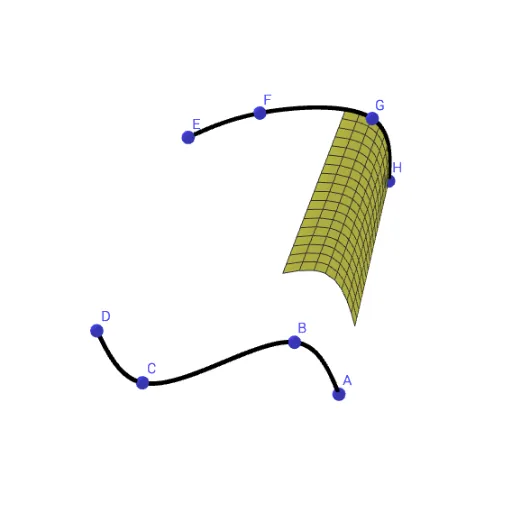
This example demonstrates how to generate a surface between two curves in GeoGebra. It involves core mathematical concepts like surface construction, parametric equations, and coordinate geometry. Key GeoGebra commands used are Spline and Surface, with objects A, B, C, D, E, F, G, H, a, b, c, e, d. Suitable for high school students and above exploring spatial geometry and transformations.
GeoGebra Commands & Parameters
Spline({A, B, C, D}, 3) → aSpline({H, G, F, E}, 3) → bSurface((u * x(a(t))) + ((1 - u) * x(b(t))), (u * y(a(t))) + ((1 - u) * y(b(t))), (u * z(a(t))) + ((1 - u) * z(b(t))), t, 0, e, u, 0, c) → d
AI Drawing Prompt Reference
Graph a surface formed between two cubic spline curves by first drawing two closed curves, then generating a 3D surface that interpolates between them as parameter u varies from 0 to c, showing how the surface fills the space between the two curves.
The prompt above was compiled from the original drawing commands and is for reference only.